
In this article, we shall review some of the best budget laptops with SSD that you can purchase if you are low on funds and looking for a nice laptop with good features and under budget. Let us firstly start by defining what SSD actually is. A solid state drive abbreviated as (SSD) is a new form of storage device which is now found in the pcs we have today. It replaces the traditional mechanical hard disk by using flash-based memory, which is faster than the old hard-disk storage technologies.
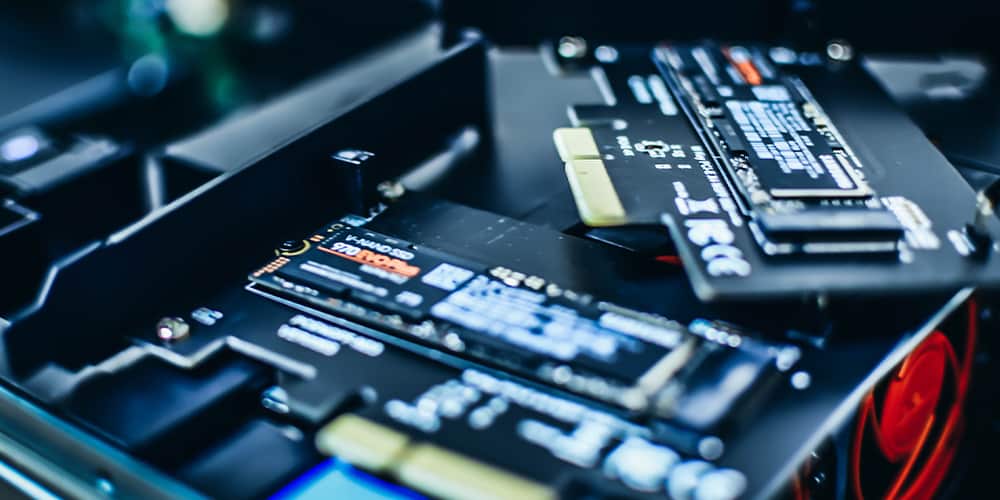
Why Should You Settle For A PC With SSD?
The old form of storage, the hard disk drive abbreviated as (HDD) is slower and as a result, makes your pc slow that it is supposed to be in terms of function. Thus, what we can is that this innovation in the operation of modern pc which now have SSDs have resulted in the pcs being fast due to the SSDs have low read-access times and fast throughputs. The HDD is a traditional form of storage based on moving parts, more like a read/write head going back and forth to gather data. It is made up of magnetic tape giving it a mechanical function and which thus appear larger than the SSD which has no moving parts at all. In fact, the SSD is referred to as flash storage which is smaller and takes little space compared to the HDD. The SSD, for its size, can even be directly mounted on to the motherboard. So, come to think of it, it’s beneficial to use the SSD because it is by far better than the HDD which actually is likely to malfunction due to it having movable parts. SSD is ideal for software for graphic designers, gamers and other sophisticated types which are available for use.
What are the advantages of an SSD compared to an HDD?
- SSD assures you of a finely built pc that has speed.
- Windows boots faster with SSD compared to HDD.
- Applications load faster with SSD and so will files open faster.
- They mostly serve best as boost drives thus making your pc faster at almost everything.
However, there are few notable things about SSD; It doesn’t have a lifespan longer than an HDD, but it can be used as an only drive on your pc. Also, SSDs are not designed to handle being written to overtime but can serve best as a boot drive.
Why should you still prefer HDD?
- It is best for mass storage due to being specifically designed for that.
- It is generally cheaper than the SSD and also is available in massive sizes.
- Price per gigabyte when it comes to the HDD is much less than with SSD.
Therefore, at the end of it, though some pcs may comprise only of an SSD, many other models work best by having both the SSD and the HDD. This is beneficial to you in that the SSD serves to offer an efficient system that boots Windows faster and the availability of one or more HDDs serves best for mass storage. Having a pc with both will help you run all the necessary software as fast as they possibly can be because of the SSD whereas the HDD will offer you as much storage as there is to store all that you may possibly need.
I think that about wraps it up on the two so why don’t we get deeper into this by having a look at which best pcs come with SSD?
Top 8 Best Budget Laptops with SSD
- Asus VivoBook S
- LG Gram
- Apple MacBook PRO 13″
- Dell Inspiron 3567
- 2018 Lenovo Flex 5 15 2-In-1 Laptop
- Acer Aspire 5 A515-54-30BQ
- Asus VivoBook F510qa
- Lenovo Flex 14 2-In-1 Convertible Laptop
Okay, let us now review each one in detail.
1. Asus Vivobook S15 S512
No products found.The Asus VivoBook S is an ultra-thing model from the Asus brand which is a fairly priced laptop that won’t cost you more than a thousand dollars. It is one specially made with a slick and attractive design and comprises of many powerful components that make it a great deal pc. What you will get from the VivoBook S is a WideView rich display, great storage combination, slim and thin body design, ergonomic keyboard as well as increased connectivity.
The pc has a 15.6” display which is a full HD capable of offering a native resolution of up to 1920 x 1080 pixels. It has an Intel Core i7-8550U, quad-core4GHz processor, 8 GB of RAM, 128GB SSD + 1TB HDD and Intel integrated Graphics. The Asus brand has done its best in making its pcs stylish with the NanoEdge display featuring ultra-narrow bezel making this product something attractive. It comprises a compact design making it have great performance especially for the components it contains. What is wowing about the VivoBook S is that, though being an ultra-thin laptop which is 0.7” thin, it comprises of 5 ports on the right and 3 on the left. It is one of the most versatile laptops you will come across in terms of connectivity because of having lots of USB ports, HDMI as well as also a 3.5 mm jack.
What you will not find, however, is a DVD R/W due to the fact that it is a slim pc. The VivoBook S has Windows 10, weight of 3.7 pounds and a working battery life of up to 6 hours. Now, that’s something you can most definitely work with!
Features
ASUS VIVOBOOK S Ultra-Thin and portable laptop, Intel Core i7-8550U Processor, 8GB DDR4 RAM, 128GB SSD +1 TB HDD, 15.6” FHD WideView Display, ASUS NanoEdge Bezel, S510UA-DS71. Compact performance, thin, light & portable, Hypercharged storage, extensive connectivity and an ergonomic backlit keyboard with a fingerprint sensor. It has quick and secure access, crisp and stunning visuals as well as Expertly-Tuned Audio. It has Aluminum cover, Intel HD Graphics, comprehensive connections including USB 3.1 Type C (Gen 1), USB 3.0, USB 2.0, and HDMI. It has Dual-band 802.11ac WI-FI, Webcam: VGA Camera and Windows 10.
Specifications
Has dimensions of 14.2 x 9.6 x 0.7 inches, weight of 3.7 pounds, 4 processor count, screen resolution of 1920 x 1080 pixels, Icicle Gold color. It has a Solid State Hard drive interface, 5400 RPM, no Optical Drive, works with 19 volts and is powered by 1 Lithium-ion batteries.
Pros
- Fairly priced
- Beautiful ultra-thin body
- Lightweight, portable
- Ergonomic backlit keyboard with a fingerprint sensor
- Has increased connectivity
Cons
- Has no DVD R/W due to thin design
- Has poor response of Asus Support
- No indicator light on Caps button
2. LG Gram
No products found.he LG Gram is product of the LG brand which is considered to be one of the best laptops available on the market. It has an Intel 8th Gen Core i7-8565U, quad-core, 1.7GHz up to 4.3GHz processor, 16GB of RAM 2 x 512 GB SSD as well as an Intel HD Graphics 620. In terms of the display, it has a 15.6” full HD IPS touchscreen display. It has a fingerprint sensor, Windows 10, weight of 2.44 pounds, backlit keyboard, improved numeric keyboard and much more. The LG Gram is a lightweight pc meaning it is portable.
One thing you will notice is that the laptop comprises of two SSDs which work together to offer 1 TB of available space much to your convenience. This means, unlike other pcs, the LG Gram completely did away with the HDD which not only resulted in less pc weight but also improved its start-up time as well as performance up to 4 times! Now isn’t that cool or what! And if that was appealing enough, the LG Gram has a working battery life of up to 18.5 hours.
What a difference between the Asus VivoBook S in terms of function and design which gives it a notably higher price tag than the first product. But you have to give a hand to the manufacturers for this product which I’m sure if you had your eyes on would save up enough to get your hands on it. It’s truly worth it and what a big difference from the Asus VivoBook S!
Features
LG Gram laptop, 15.6” Full HD Touchscreen IPS touchscreen display, Intel 8th Gen 1.8GHz Core i7, 16 GB of RAM, 1 TB (2 x 512GB SSD), 18.5 hour-battery, Thunderbolt 3- 15Z990-R. AAS9U1 (2019) Dark Silver. It has premium performance, proven durability, more features, more versatility, Thunderbolt 3, multiple ports including USB Type C. It has Touch to Access, Windows 10 home, ultra-lightweight, w/ultra slim bezel, fingerprint reader and backlit keyboard.
Specifications
Product of LG brand, has dimensions of 14.1 x 9 x 0.7 inches, weight of 2.4 pounds, 4 processor count, 7200RPM, Solid State Hard Drive Interface, DDR4 SDRAM Computer Memory Type. It is dark silver in color, has No Optical Drive, screen resolution of 1920 x 1080 pixels, Intel Graphics 620, 128 MB Graphics Card RAM Size, 801.11ac Wireless Type and is powered by 1 Lithium ion batteries.
Pros
- Lightweight, portable
- Great battery life
- Beautiful design
- Has two SSDS making one 1 TB storage
- Has Thunderbolt Connectivity
Cons
- The display somewhat offers some glare
- The new design comes only with minor notable changes
3. Apple MacBook PRO 13″
No products found.The Apple MacBook Pro 13 is a product of the renowned Apple brand and it is a pc with a dual-core- Intel Core i5, and ultrafast 128GB SSD, 8GB DDR4 RAM. The Pro 13 comes with Intel Iris Plus 645 graphics ideal for gamers and for running software like Adobe Photoshop amongst many others. It is an attractive laptop with an aluminum body carrying a non-backlit Apple logo, 13.3-inch Retina Technology display featuring millions of pixels offering great image quality
The Pro 13 comes with two Thunderbolt 3 USB-C ports and many more fascinating features. All in all, with Apple, I think the products advertise themselves because of the brand name and reliability they offer to their consumers. I needn’t say much as you already know it’s obviously expensive but surely worth your money. It’s a beautifully designed pc rocking lots of cool features and it is a durable product. Of the three it stands out because Apple does love to show off, a little, and it would be entirely up to you settle for this baby if you got the dollar bills to settle the deal.
Features
APPLE MACBOOK PRO 13-inch, 8GB RAM, 128GB Storage, Silver, Quad-core 8th Gen Intel Core i5 Processor, Brilliant Retina Display with True Tone Technology. It has Touch bar, Touch ID, Intel Iris Plus Graphics 645, Ultrafast SSD, two Thunderbolt 3 USB-C ports, 802.11AC Wi-Fi. It has the latest Apple-designed keyboard, Force touch trackpad and a working battery life of up to 10 hours.
Specifications
Product of Apple brand, has dimensions of 14.4 x 10.2 x 3.5 inches, weight of 5.6 pounds same as shipping weight, 13.3-inch (diagonal) LED backlit display with IPS technology; 2560 x 1600 native resolution at 226 pixels per inch with support for millions of colors. It has 1.4GHz quad-core i5, Turbo boost up to 3.9GHz and is powered by 1 Lithium ion batteries.
Pros
- Ideal SSD laptop
- Latest Apple-designed keyboard
- Durable and beautifully designed
- Great image quality
- Ultrafast SSD
- Long-lasting working battery
Cons
- It is expensive
4. Dell Inspiron 3567
No products found.The Dell Inspiron 3567 is a product of the DELL brand and it is a budget-friendly ideal laptop with an SSD. It has a 7th Gen Intel Core i5-7200U processor, 8GB of RAM, 256GB SSD, integrated, Intel UHD 620 and a 15.6-inch screen size with a resolution of 1366 x 768 pixels. The Inspiron 3567 is a powerful and reliable laptop built to handle daily tasks with ease without having to give you any sort of trouble, it is touch compatible and comes with a 6-hour working battery good enough for use. When it comes to connectivity, the Inspiron 3567 comprises of 1-USB 3.0 port, 2-USB 2.01 port, HDMI port, Ethernet Card Reader and Bluetooth.
Now, come to think of it that’s a solid deal for a laptop that’s not so expensive. It’s one of the cheapest laptops on my list and I’m sure we can agree that what it offers is something worth your money. So, if you wanted a great laptop to work won’t ask for hundreds of dollar bills simply to lay your hands on then feel free to grab this baby. Though the battery life may not belong as the other reviewed products on my list nor is it that sophisticated, if it works for you then it will surely do.
Features
DELL INSPIRON 15 I3567-5949BLK-PUS Laptop (Windows 10, Intel i5-7200U, 15.6” LED screen, 256GB SSD, 8GB of RAM, black in color. Designed for multimedia enthusiasts and gamers, finger touch navigation, Energy-efficient LED backlight, Intel HD Graphics 620 and has no built-in DVD/CD drive.
Specifications
Product of the DELL brand, has dimensions of 19.4 x 13.2 x 2.8 inches, weight of 5.51 pounds, 1 processor count, DDR SDRAM Computer memory. It has 1.0 Flash Memory size, Solid State Hard drive, 7200 RPM, 1GB Graphics card, 2.5GHz Core i5 Family, 802.11b/g, 802,11bgn, 802.11b Wireless Type. It has no Optical Drive and is powered by 1 Lithium ion metal batteries.
Pros
- Affordable and ideal SSD laptop
- Capable of multitasking
- Ideal for gamers and multimedia enthusiasts
- Energy-efficient LED backlight
- Intel Graphics 620
- Finger touch navigation
Cons
- Not as sophisticated as other laptops better than it
- Has no built-in DVD/CD drive.
5. 2018 Lenovo Flex 5 15 2-In-1 Laptop
No products found.From Lenovo, we’ve got an awesome pc, the 2018 Lenovo Flex 5 2-in-1 laptop which is a sleek and portable laptop you will most definitely come to love. The Lenovo flex 5 15 has an 8th Gen Intel Core i7 processor with hybrid storage up to 512GB PCle SSD plus TB SATA HDD. It has lightning-fast boost-ups and transfer times, 16GB memory for the usage of apps and larger without having to worry about slowing down. It has a 15.6” IPS FHD touchscreen narrow-bezel display offering you great viewing experience and picture quality whenever you are watching or streaming movies.
More to say about the pc is that it has pin-point accuracy and palm-rejection technology and the optional Lenovo Active Pen is specially designed to emulate a natural pen-on-paper writing experience. In terms of design, the Lenovo Flex 5 15 is an Aluminum sleek and Onyx black portable laptop weighing 4.4 pounds. It is a 2-in-1 laptop that has precision-cut beveled edges as well as an advanced touchpad which provides a smoother comfort and improved control. It is a laptop specially designed for flexibility because of its 360-degree hinge enabling you to flip the laptop into tablet mode allowing you to use it in tent mode. This thus improves your viewing angle making things a whole lot better!
When it comes to audio, the pc offers great quality audio which is ultra-crisp and clear. It comes with Harman speakers and Dolby Audio Premium, advanced volume maximizer and sound leveler, and more there is to offer in terms of sound. Now, isn’t that a solid deal or what? And the good part of it is that it’s fairly priced! Spend on what’s worth your money and go get this baby now!
Features
2018 LENOVO FLEX 5 15 2-IN-1 Laptop: 15.6” IPS Touchscreen Full HD (1920 x 1080), Intel Quad Core i7-8550U, 512GB SSD, 16GB DDR4, NVIDIA 940MX, backlit keys, Windows 10, Onyx Black in color. It is a 2-in-1 laptop which can change between four modes- Laptop, Stand, Tablet, and Tent. It has 1.80 GHz (Turbo 4.0 GHz, 4 cores, 8 Threads, 8MB SmartCache). It has 802.11AC + Bluetooth as well as FingerPrint Reader.
Specifications
Product of Lenovo, has dimensions of 9.7 x 14.3 x 0.8 inches, weight of 12.3 ounces and is of the Flex 5 15.6-inch Convertible Laptop Series. It has a maximum screen resolution of 1920 x 1080, DDR4 SDRAM Computer Memory Type, Solid State Hard Drive and is powered by 1 Lithium Polymer batteries.
Pros
- It is a 2-in-1 laptop which can be switched to different modes
- It has FingerPrint Reader
- Backlit keyboard
- VIDIA 940MX
- Sleek and beautiful design
- Portable
Cons
- Battery life not so good
- Heats up
6. Acer Aspire 5 A515-54-30BQ
No products found.The Acer Aspire 5 A515-54-30BQ is an ideal SSD laptop from the Acer brand which has an Intel i3-8145U processor, 4GB of RAM, 128 GB PCle NVMe SSD and lovely slim design. The Aspire 5 is another budget-friendly laptop to consider if perhaps most of the products we’ve reviewed so far either don’t seem appealing to you or are at quite pricey.
This pc comprises of 3 USB ports, 1 USB Type C, HDMI, Ethernet as well as a card reader. In terms of battery life, the Aspire 5 has a working battery life of about 9.5 hours which is enough to do all that you possibly needed to do. The pc comes with Windows 10 in S mode which could be switched to a normal mode which prevents you from switching back to the former. More to say about the Aspire 5 is that it comes with integrated, Intel UHD 620 Graphics and has a backlit keyboard all for your added benefit. It is the second cheapest laptop on my list besides the DELL Inspiron 3567, and it would be up to you to pick whichever pc works best for you.
Features
Acer Aspire 5 Slim Laptop, 15.6” Full HD IPS Display, 8th Gen Intel Core i3-8145U, 4GB DDR4, 128GB PCle Nvme SSD, Backlit keyboard, Windows 10 in S Mode, A515-54-30BQ. Launch your Creativity, Powerful Processing, Intel Graphics 620. It has 1-USB 3.1 Type C Gen 1 port, 2-USB 3.1 Gen 1 Ports (one with Power off charging), 1-USB 2.0 port & 1 HDMI port with HDCP support. It has 802.11AC Wi-Fi and working battery life of up to 9.5 hours.
Specifications
Product of Acer brand, has dimensions of 14.3 x 9.9 x 0.7 inches, weight of 3.97 pounds, 2 processor count, 0.1 Hard Drive Rotational Speed, Solid State Hard Drive Interface. It has 3.9 GHz Intel Core i3 processor, maximum screen resolution of 1920 x 1080 pixels, DDR4 SDRAM Computer Memory Type. It is silver in color, has no Optical Drive and is powered by 1 Lithium ion batteries.
Pros
- Affordable SSD laptop
- Has backlit keyboard
- Intel Graphics 620
- Long working battery
- Slim design
Cons
- Isn’t as sophisticated as other laptops better than it
7. Asus VivoBook F510qa
No products found.The Asus VivoBook F510QA is a product of the Asus brand which is yet another affordable SSD laptop to look out for. It is a thin and lightweight type of laptop that is portable. It has a powerful AMD Quad Core A12-9720P Processor which gives around 2.7GHz (2M Cache, up to 3.6 GHz) speed. On the outer body finish, it offers a fancy 80% screen-to-body ratio making it attractable and easy to carry around with you.
The VivoBook F510QA has a standard size screen with an anti-glare Full HD Wide-view display. It has an ergonomic chiclet keyboard with the fingerprint sensor, USB 3.1 Type C Gen 1, USB 3.0, USB 2.0, HDMI as well as lightning-fast Wi-Fi 5. The pc has 8GB of RAM and 256GB SSD and is designed to offer the perfect combination of both performance and function. The VivoBook F510QA comes with Windows 10 in S mode and is one specially designed for daily computing and entertainment.
More to say about this laptop is that it comprises of NanoEdge Display with Ultra-Narrow Bezel which is actually what gives the pc a fine screen-to-body ratio of 80%. So, come to think of it, it is a great pc that you ought to reconsider especially for the beautiful features it has and the really great price it is offered.
Features
ASUS VivoBook F510QA-DS99 Thin & Lightweight Laptop, 15.6” FHD WideView, AMD Quad-Core A12-970P Processor, 8GB of RAM, 256GB SSD. It has Fingerprint Reader, Windows 10 in S mode, 2,7 GHz (2M Cache, up to 3.6 GHz) and 14-inch laptop frame which fits the 15.6” FHD WideView display. It is 14.2” wide, 0.8” thin, has a NanoEdge bezel for a stunning 80% screen-to-body ratio. It has USB 3.1 Type-C (Gen 1), USB 3.0 USB 2.0, and HDMI; Lightning-fast Wi-FI 5 (802.11AC) and an ergonomic chiclet keyboard with a fingerprint sensor. It’s the perfect solution for sharing content with groups of friends or colleagues, it is thinner and lighter and has Compact Performance.
It has Complete Connectivity, Crisp and Stunning Visuals and One-Year Accidental Damage Protection. It is the ideal laptop for daily computing and entertainment. Its actual transfer speed of USB 3.0, 3.1 (Gen 1 and 2), and/or Type-C will vary depending on many factors. This includes the processing speed of the host device, file attributes and other factors related to system configuration and your operating environment.
Specifications
Product of Asus brand, has dimensions of 14.2 x 9.6 x 0.8 inches, weight of 3.7 pounds, 4 processor count, DDR4 SDRAM Computer Memory Type. It has Windows 10 Home, 8GB Graphics Card, AMD Radeon R7, 1GHz memory speed, 1920 x 1080-pixel screen resolution. It has no Optical Drive, 1000 RPM Hard Drive Rotational Speed and is powered by 1 Lithium Polymer batteries.
Pros
- Affordable SSD laptop
- thin and lightweight design
- Portable
- Has ergonomic chiclet keyboard with a fingerprint sensor
- Lightning-fast Wi-Fi 5
Cons
- Has varying USB speed
8. Lenovo Flex 14 2-In-1 Convertible Laptop
No products found.Finally, we have the Lenovo Flex 14 2-in-1 Convertible laptop which is another product from the Lenovo brand. The pc has an AMD Ryzen 5 3500U processor, 8GB of RAM, 256GB SSD with Radeon Vega 8 Graphics. The Lenovo Flex 14 has a 14” Full HD display, TrueBlock privacy camera shutter, Windows 10 and a working battery life of up to 8 hours. It is a 2-in-1 laptop that can be used in three different modes: Laptop, studio mode, or as a tablet. Its weight is 3.52 pounds and is thin with a compact design enabling the use of the three modes and for best efficiency.
The Lenovo Flex 14 has Quick battery recharging, Active Pen and is offered at an affordable price. It’s also a perfect machine for those that are into photoshop and graphic design. It is a unique laptop that you might want to consider especially for its cool features and since it is another Lenovo product that offers multiple usage modes like the 2018 Lenovo Flex 5 15, it would be clearly up to you to pick your best settling for whichever suits you.
Related article: Best Laptops for Microsoft Office
Features
Lenovo Flex 14 2-in-1 Convertible Laptop, 14-inch FHD, Touchscreen, AMD Ryzen 5 3500U Processor, Radeon Vega 8 Graphics. It has 8GB DDR4 RAM, 256GB NVMe SSD, Windows 10, Onyx Black in color and Active Pen which lets you draw or take notes directly on the screen. It has an 8-hour working battery life with quick recharge technology to power up your laptop up to 80%. It has a convenient TrueBlock privacy shutter which allows you to physically close your webcam when you are not using it. It has HDMI, USB-C, USB 3.1 inputs, fingerprint reader.
Specifications
Product of the Lenovo brand, has dimensions of 12.9 x 9 x 0.7 inches, weight of 3.52 pounds, 1 processor count, DDR4 SDRAM, Serial ATA Hard Drive Interface. It is of the Flex 14 Series, has Flash Memory Solid State Hard Drive, 2.1 GHz AMD R Series and a maximum screen resolution of 1920 x 1080 pixels. It has 1 RPM Hard Drive Rotational Speed, no Optical Drive and is powered by 1 Lithium Polymer batteries.
Pros
- Beautifully designed SSD laptop with multiple modes
- Has Active Pen for drawing or writing on a screen
- TrueBlock privacy shutter
- Quick recharge technology
- Fingerprint reader
- Radeon Vega 8 Graphics
Cons
- They key travel is somewhat too short for efficient typing
Conclusion
And that’s it! I think that should help you out in picking which best budget laptops with SSD you might possibly need. I hope this has been really helpful.
Table of Contents
As an Amazon Associate I earn from qualifying purchases