

Technology has really taken center stage in our day to day lives. Despite it being a very good thing, there are people that use it to have access to people’s information or files using dubious means. Hacking is what it is called and it is in simple terms illegal access to information that one is not authorized to get. If you are hacker then it’s a must you read our guide for the best laptops for hacking and cybersecurity.
There is actually hacking that is ethical and has been adopted by many organizations but that is a story for another day.
In as much as hacking violates one’s privacy, it is vital because if at all one has lost their password, they can access the information they need through hacking.
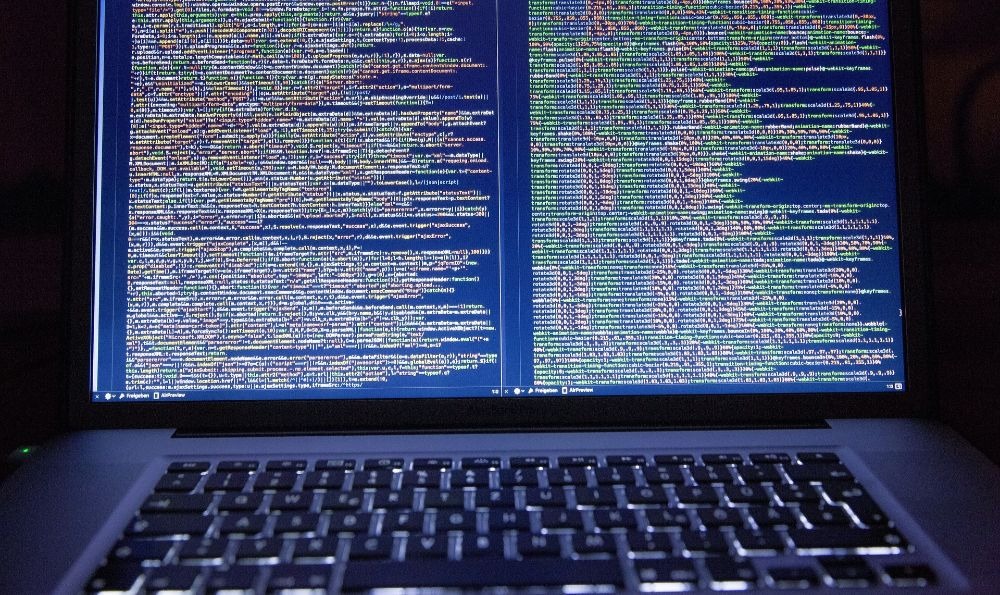
Meanwhile, hackers in most cases deal with server intrusions, cracking passwords and penetration testing to mention but a few. And in doing this one will have to deal with immense amounts of data. And in order to process these tons and tons of data a hacker requires the use of a very powerful machine.
Hacking is very technical therefore Hackers require laptops that are fast and very effective. They need laptops that cannot be easily interrupted. Therefore, is it my pleasure this morning to present before you the very best laptop for your hacking.
We will look at eight (8) products in total and I will give you all the details of the things you would need to know we will look at things like…
Description
This is the part where I journey you into looking at what the product (laptop) is made of
Features
Here we look at the inbuilt things that are in a particular device
Pros and Cons
And this is where we bluntly look at both the positive and negative sides of a product.
Below is a list of the products we are looking at today.
- Acer Helios Predator 300
- Alienware Aw17r4
- Razer Blade 14
- Aspire Acer E 15
- Msi Gv62
- Hp Pavilion 2018
- Apple Macbook Pro
- Dell Inspiron I7577
Let’s review each of these laptops now…
1. Acer Helios Predator 300

 This laptop is very affordable and good for your hacking activities and it provides abundant value for your money. It has top-notch performance. It also has an aluminum and plastic mixture that has been perfected inside out.
Its lid has a logo and slightly redundant and very thick bezel I can say. Its keyboard has plastic keys and these are WASD keys that have shimmering red sides. The design is ordinary nothing special about it. It also has a nice colourful backlit keyboard to use in dark places
Sadly, it displays is dim on the side though not on a big side but just small. And it can measure 226 nits of brightness that can cover only about 81 % of its SRGB color gamut.
It is not only good for your hacking but you can also play games and without having any issues.
It is heavy and weighs about 5.9lbs (2.7kg) but it is not too heavy. Its keyboard is comfortable but if you type very fast it can be somewhat hard to type on it.
Acer Helios predator 300 has a platform that can connect monitors, mouse, and other devices as it is able to boast 1 USB 3.0 and type -C port among others. And its battery life lasts for about 3 to 4 hours when you are doing basic tasks and is you are doing heavy demanding tasks it can last for about 1and a half or even two hours.
Features:
Screen size 15.6 inches, storage is 256GB SSD, RAM 16GB DDR4, Intel Core i7 7700HQ processor, graphics card is GeForce GTX 1060.
2. Alienware Aw17r4

 It is expensive and has well-packed powerful hardware and that gives you super and faster performance.
From its design display and everything else, this laptop has been built with a lot of visual complexities and heavy multitasking. Its display is breathtaking and is about 17.3 inches and its design has been made from aluminum on its outside and soft-touch plastic on its inside.
It actually has a sharp screen display and gives you crisp details without missing out on any of your colors. Whereas even when you are hacking it gives you the best of details even in low light (low brightness). Its performance allows you to perform multiple heavy programs simultaneously without giving you any trouble at all.
It is not portable and weighs 9.7 lbs. and is almost and if not the heaviest on my list for today. If you are working in one place it can be easy for you but if you are moving about then wow! the weight might be a burden on you.
Hackers in most cases require a wide range and enormous connectivity and this is very good in this aspect. It has many ports for all you need.
And knowing that as a hacker you need a long battery life this is very good at that and its battery lasts for about 8 hours 32 minutes that is if you are continuously surfing on different webs and if you are hacking the battery can last about 2 to 3 hours.
Features:
Screen service 17.3 inches, storage 1TB 7200 RPM HDD, RAM 16GB DDRM, processor intel core i7 7700HQ, graphics card NVIDIA GTX 1060 6GB.
3. Razer Blade 14

 It has the ability to house many ports and it has a battery life of about 6 hours which is decent enough. It has a very fast SSD. I can proudly say that everything on this laptop is top-notch apart from its speakers which are moderate.
It weighs about 4.3 lbs. and it is very portable. OH my! its CPU and GPU performance is extremely good and what they both provide you cannot easily fathom.
It is very good for you to multitask in any industry I tell you and not just hacking in this case. It has a huge price, yes and it gives you a solid performance.
It is 14-inch IPS full display and it is attractive and has good color accuracy and perfect viewing angles. And it has a design almost similar to a MacBook pro.
Features:
Screen size 14 inches, storage 512 GB SSD, RAM 16GB DDR4, processor intel core i7 7700 HQ, graphics card NVIDIA GeForce 1060.
4. Aspire Acer E 15

 It has a lot of connectivity ports and this is exactly what you need when hacking. Its battery life can go up to about 15 hours and that is damn good enough. When you are doing immense tasks, it can last for about 2 to 3 hours and this is good enough.
Its storage space is about 256 GB but you can install secondary storage with so much ease. It has the potency deliver very wholesome performance.
It is portable and weighs about 5.3 lbs. and with this weight, you can carry it around though not every time because it can sometimes be heavy.
It has a 15.6-inch display and has good viewing angles and color reproduction. It is simple and elegant. It is very good for multi-tasking
Features:
Screen size 15.6, storage 256 GB SSB, RAM 8GB DDR3, processor intel core i5 8250U, Graphics card GeForce MX 150.
5. Msi Gv62

 It offers about two hours when you are doing many tasks but when it is just about you doing things like entertainment it can last even more.
It has the potency to help you get rid of certain pressures by cleaning your memory even your disk space. In a case when your laptop becomes hot worry not as it has a fan speed that can ease up everything and still make you comfortable.
And dedicated dragon center has been preloaded in MSI GV62. It has a very good memory that helps you to multitask smoothly without any pressures or interruptions. And this is one of the many things that a hacker desires to find in a computer.
And the performance of this laptop is extremely good without any doubt. You can run graphics that are heavy without difficult at all because it has a very good combination of graphics.
One unfortunate thing is that its display is not very color as it should be. But hold up it has awesome viewing angles and is very bright compared to the laptops I have reviewed in this report.
Features:
Screen size is 15.6 inches, storage is 16 GB 10 1TB HDD, RAM 8GB DDR4, processor intel core i5 8300 H, Graphics card GTX 1050 Ti 4GB.
6. HP Pavilion 2018

 It is cheap and simply elegant. It has a very juicy battery life and it can run for about two hours 25 minutes that is when you are conducting a heavy load of work and on full brightness. And if at all you are just doing things like surfing using WIFI the battery can even last for 6 to 7 hours on a normal day with you only charging your laptop once.
HP PAVILION has been loaded with plenty of ports and this will make your activities easy because you can still do many things at the same time.
And it has a glare friendly display, it does not have a glare coating and allows you to perform a hackathon with just minimum glitch. Its processor can clock even up to 4GHz and that is swift enough to perform a variety of powerful software in the background.
Features:
Graphics card GeForce GTX 940 MX, processor intel core i78550U, RAM 16GB DDR4, storage 512 GB SSD, screen size 15.6.
7. Apple Macbook Pro

 This laptop has incredible performance. And yes, it is expensive and provides you with amazing features and there is a huge value for your money. You need not worry about a thing other than it being expensive heavy and having a small screen. The rest of its pitfalls can be overcome with ease.
Its 16-inch display is accompanied by a true mellow tone that is fab to look at and it has a great color accuracy.
And because of its dedicated sensor, you can even work late at night in the dark because of the true tone that can be adjusted according to the light intensity in your environment or basically how much light you need.
Apple MacBook Pro has been well designed for multi-tasking and has 256 GB faster SSD and other components that make it perform the way it does.
It is somewhat portable with a weight of about 3lbs. and it is indeed a lightweight laptop meaning you are at liberty to move around with it at any point and anywhere, but if you choose to station it in one area that also would not be a problem.
It has a keyboard that has been improved and is much quieter when compared to the former brands. Its keyboard is very comfortable and you can type and type and type for many hours without any trouble.
Features:
Screen size 16, storage 512GB SSD, RAM 16GB DDR3, processor Intel Core i5, Intel Iris Graphics 550 Graphics card.
8. Dell Inspiron I7577

 The first thing that stands out is its price, it has a very reasonable price and anyone can afford it. This brand is well known and speaks for itself even without one speaking a word. It is one of the best laptop brands you can settle for.
Coming to the laptop other than the brand itself, it is very good for hacking, convenient, and suitable for multitasking and even gaming.
It is a 15.6-inch display and it is great for both personal and professional use. It moreover has very excellent quality. It has good enough space and you can store as much data as you would desire, it has 128 GB SSD 1TB HDD that makes it suitable to give you plenty of space.
And this system can actually boot up so quickly. You can multitask and its RAM can be upgraded to even 32 GB and you can consider doing this if you need even faster performance. It gives you an amazing GTX 1060 that will leave you feeling all sorts of happy without even doing a thing.
You must be aware that its weights is 6.3lbs. and that makes it very heavy and if you would want to carry it with you to your workplace or even school, I would urge you to carry it on your bag in a laptop bag as your hands alone cannot contain it.
Its battery life is pretty average and can last for even 4 to 5 hours that is for mediocre usage and what more if someone was to livestream, It certainly is not a good option.
And now we are here looking at the advantages and disadvantages of our final product. And do note that it is the last on my list does not mean that it is the least good, no! no! no!
Features:
16GB 2400MHz DDR4 that can also be expanded to up 32GB, 7th Gen Intel Core i7-7700HQ Core Processor,15.6in UHD (3840 x 2160) IPS display screen,128 GB (SSD) Boot plus 1 TB SATA HDD -Storage.
Factors To Consider When Buying The Best Laptops For Hacking
Now is a list of necessities to consider when buying a hacking laptop. Put the brand aside, your preferences and budget too all aside and look at what I have below.
Laptop memory
This is more dependent on one’s hacking requirements. But the minimum RAM of about 4GB is what is required or even less for just simple hacking and these simple hacking may include wardriving and even network sniffing.
But in a lot of cases, many password crackers love to consider processors and not RAM capacity. So, what you should know is that 8GB RAM can be able to run and sustain the virtual system because its virtual machine is thirsty for RAM.
Performance
Performance must be sharp on any laptop as it is very important when you are hacking something. And this includes using one that allows usage of the latest technology.
If you are merely password cracking you can consider a laptop that has an i5 or i7 processor and that is just a requirement. Such processors as the ones mentioned above have a lot of power because of their variety of cores that run very fast. And a processor you settle for must give you conformity of multi-threading capacities of hacking software.
Portability
This is not very strict and mainly or greatly depends on what the hacker prefers. So, whether you want a lightweight or heavyweight laptop that is all up to you. But you can invest in SSD storage because it also gives you enough room to store your battery life.
Conclusion
So, I guess we have reached the end of this wonderful article, I hope you will be able to find the best laptops for hacking based on our list.