

First of all, let us start by explaining what IPS actually is. So, IPS is an abbreviation of In-plane switching, is a type of LED/ or form of LCD display panel technology which today has gained much popularity in the digital world. IPS panels are known for their best color and viewing angles among the many other common types of display panels, TN (Twisted Nematic) and VA (Vertical Alignment). IPS panel offers great image quality and of the three it offers the best there possibly is. It’s what’s trending today and though it is more expensive than the other two, it’s one of the best there is in terms of viewing quality. If you are curious about knowing the best budget laptops with IPS display, then continue reading this post.
In the digital world, it’s good to move with the new trends as there’s always something new that the tech geeks have in store for you. Especially, where it comes to the daily gadgets, machinery, software and many more other various designs, you have to keep up! These innovations are what everyone’s talking about. If they give viewing an entirely new experience, then you better get your hands on them! If you want to know why this new stuff is getting so much buzz, then read on! If you are one of those fellas that stick to the ‘good old classic stuff’, this article probably just might change your mind!
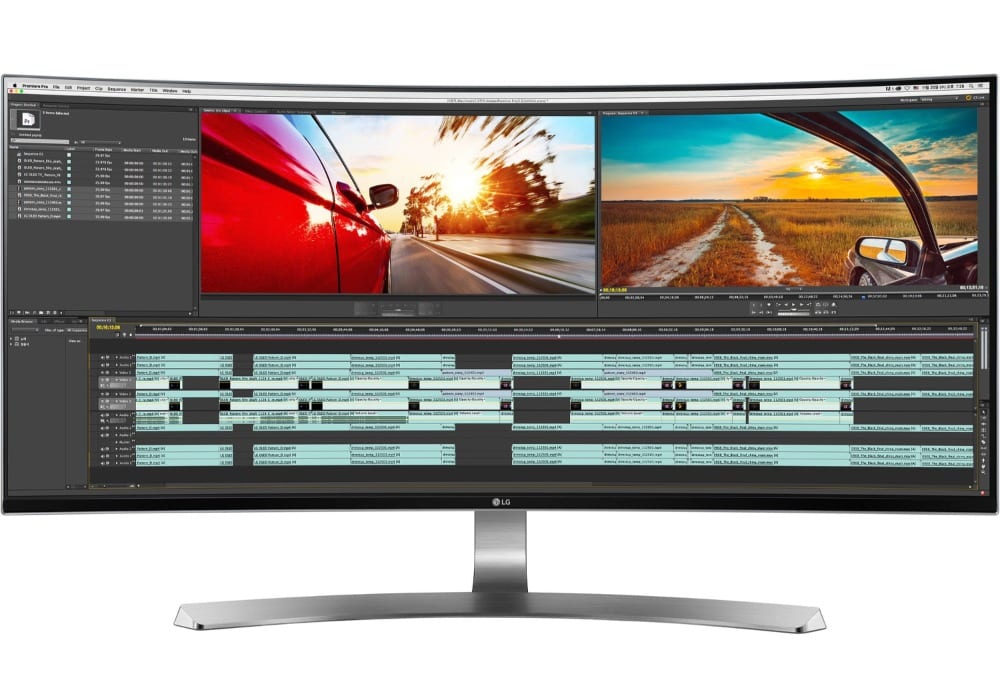
So, talking about IPS, why not explain a little bit more about it? So, having described what it is let us dig in a bit further of what it does and what the advantages of it are. From where we left off, what can be further said is that IPS is a type of monitor display technology used in TFT (Thin Film Transistor) LCD panels; a type of LCD display designed to offer you better colors, contrast as well as black levels. Also, this IPS technology can be used in Liquid Crystal Display. What has helped IPS gain popularity is the introduction of touch devices, iPad, making it even more accessible to the consumers. Despite it being a reliable innovation known to professional photographers and graphic designers’ tech prior to today’s machinery, it’s only now than it’s widely used. This is because there are many inventions that nowadays have to come make use and rely on the IPS panel display.
Why should you settle for IPS Screen Technology?
- As already mentioned, IPS is best at offering excellent color reproduction and great viewing angles compared to the TN panels.
- IPS screen laptops have better picture quality, matte finish, making it helpful in reducing reflections whenever you are using the laptop outdoors or perhaps in a room with a direct light source.
- IPS is ideal for photographers, graphic designers; that includes photo and video editing who would want the best viewing angles and top-quality pictures when doing their job.
- IPS is also good for movie fans that want the best movie experience!
| Laptop | RAM | Storage | Check Price |
|---|---|---|---|
LG Gram Thin  | 8GB | 256GB SSD | View On Amazon |
Acer Aspire 7   | 8GB | 128GB SSD + 1TB HDD | View On Amazon |
Acer Aspire E 15  | 8GB | 256GB SSD | View On Amazon |
GIGABYTE Aero 15W   | 16GB | 512GB SSD | View On Amazon |
Gigabyte AERO 15-X9  | 16GB | 1 TB SSD | View On Amazon |
Acer Aspire 5   | 4GB | 128GB SSD | View On Amazon |
Dell Alienware Area 51M   | 32GB | 2 X 256GB SSD ( + 1TB SSHD) | View On Amazon |
Apple MacBook Pro   | 16GB | 256GB – 4TB SSD. | View On Amazon |
Now, having gotten that out of the way, let us have a look at the top eight best laptops with IPS screen.
Top Eight Best Budget Laptops With IPS Display To Buy in 2020
- LG Gram 15Z980-U. AAS5U1
- Acer Aspire 7 A715-72G-71CT
- Acer Aspire E 15
- Gigabyte Aero 15X V8-BK4 15
- Gigabyte Aero 15-X9-RT5P 15
- Acer Aspire 5 Slim Laptop
- Alienware Area-51M
- Apple MacBook Pro (15-Inch, 2019)
Let us now review them one by one.
1. LG Gram 15Z980-U. AAS5U1
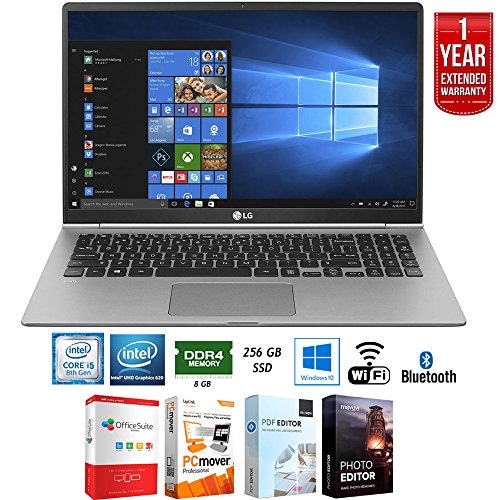
Firstly, we will have a look at the LG Gram 15Z980-U. AAS5U1. This laptop is thin and lightweight comprising of a 15-inch Full HD touch-screen and narrow bezel design. It has an 8th Gen Intel Core i7 processor, 8GB of RAM and a 256GB SSD and overall weighing less than 2.4 pounds. The LG Gram 15Z980-U. AAS5U1 is specially designed for both the home and business use whose backlit keyboard features a separate numeric keypad as well. This is a benefit to you if you have the profession of data entry or often work with heavy spreadsheets at your daily job. The LG Gram 15Z980-U. AAS5U1 shows off its 15.6” Full HD Display which produces sharp images and provides great color accuracy.
Besides that, what you will notice about this pc is that it also features the now trending USB Type-C ports and the useful fingerprint reader. But that’s nearly not enough to wow you away. Just when we thought that things couldn’t get any crazier in the latest machinery, this baby rocks with a lasting battery up to 21.5 hours as the manufacturers tend to say. Now, isn’t that awesome? More to say is that when and if you choose to settle for this pc, you will find that it has an integrated, Intel UHD Graphics 620, 1 HDMI port, card reader, Bluetooth 4.1 port! What more can we say? This pc is a great deal!
Features:
LG GRAM 15Z980-U. AAS5U1, 15” Full HD Display, Intel 8th Gen Core i5 8GB RAM, 256GB SSD, 21.5 hour-battery, dark silver, Grab n’ Go, Premium Performance, Proven Durability. It has more features and more versatility, Windows Hello: TMultiple Ports including USB Type C, DTS Headphone: X, Windows 10 Home, backlit keyboard.
Specifications:
Product of LG brand, with product dimensions of 14.1 x 9 x 0.7 inches, of the LG gram series, 15.6-inch screen size with a resolution of 1920 x 1080 pixels, 1.6 GHz Core i5 82550U processor. It has Intel HD Graphics 620, 801.11ac wireless type, weight of 2.4 pounds, Dark Silver in color, DDR4SDRAM Computer Type Memory, 8.00 Flash Memory, Solid State Hard Drive, 7200 RPM. It has no Optical Drive, 4 processor count, is powered by 1 Lithium-ion battery, 21.5-hour battery life.
2. Acer Aspire 7 A715-72G-71CT
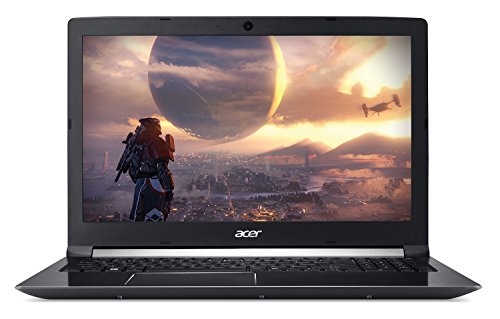
It is a gaming laptop consisting of a 6 Core Intel i7-8750H processor, 8GB of RAM, dual 128GB SSD +1TB Hard Drive as well as a dedicated NVIDIA GeForce GTX 1050Ti 4GB graphics card with 4GB of video memory. The Aspire 7 has an 8th Gen i7 processor specially designed to multitask for having 12490 on CPU benchmark. It is an ideal laptop for a gaming laptop with whose screen is 15.6” with a resolution of 1920 x 1080 and a 142ppi offers excellent color accuracy and great viewing angles for having an IPS panel. The ACER ASPIRE 7 A715-72G-71CT comprises of a 1-USB 3.1 Type C, 1-USB 3.0 port, 2-USB 2.0 port, 1-HDMI port, a card reader as well as a Bluetooth 4.1 port.
When it comes to the battery life this pc offers you a working battery life of up to 7 hours. Now, when it comes to comparing the LG gram to Aspire 7, you will notice some differences between the two. Firstly, though LG gram has a bigger SSD of 256GB than the Aspire 7 which has an SSD of 128GB, the Aspire 7 comes with an additional 1 TB HDD! This makes the Aspire 7 a great pick for you. However, in terms of the working battery life, the LG gram still rocks it’s 21.5 hour-battery life compared to the 7-hour working battery life of the Aspire 7. The good part of it is that, if you aren’t so bothered about the battery life, then the Aspire 7 is still a good pick. It, unlike the LG gram, also comes at a much lower deal-breaker price.
So scratching out the one thing that the Aspire 7 can’t compete with the LG gram, this Acer product is good for you especially for it being a gaming pc! So if you love games, that’s already a plus one for you. So, having said that, I think it would be up to you to choose which you are most comfortable but that’s after taking note of the difference in both specs and function.
Features:
ACER ASPIRE 7 A715-72G-71CT, 15.6” Full HD IPS Display, Intel 6-Core i7-8750H, NIVIDIA GeForce GTX 1050Ti 4GB, 8GB DDR4, 128GB SSD + 1TB HDD, Fingerprint Reader, Windows 10 64bit. Easily Upgradable, 2×2 MIMO Wireless Technology, backlit keyboard, 802.11ac Wi-Fi.
Specifications:
Product of Acer, has dimensions of 10.35 x 15.02 x 0.94 inches, weight of 5.18 pounds, a screen size of 15.6 inches with a resolution of 1920 x 1080 pixels. It has 1000 GB Hybrid Drive, 6 processor count, 128.0 Flash Memory size, 5400 Hard Drive Rotational Speed, no Optical Drive, 7-hour working battery life and is powered by 1 Lithium-ion battery.
3. Acer Aspire E 15 – Cheap Laptop with an IPS Screen.
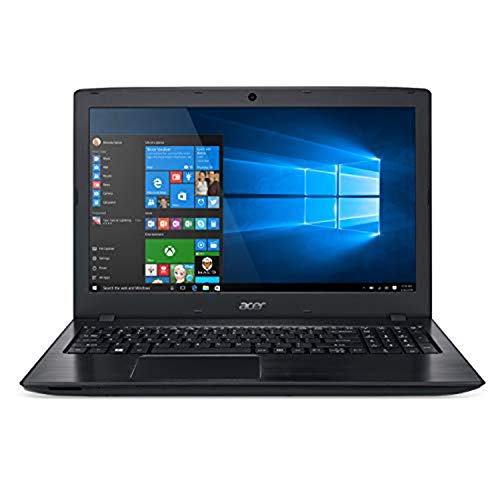
The Acer Aspire E 15 is number three on my list and it is one of the models of the Acer E series. It has an 8th Gen Intel Core i5-8250U processor, 8GB of RAM, 256 GB solid-state drives, a dedicated NVIDIA GeForce MX150 graphics card, with 2GB of dedicated GDDR5 VRAM. What is a good thing to note about the Aspire E 15 is that its 8GB RAM can be upgraded to a 32GB of RAM which offers you additional benefits in terms of storage.
When it comes to screen size, the pc has a 15.6-inch screen with a resolution of 1920 x 1080 pixels. And just when you thought things couldn’t get any better, it boasts of a 15-hour working battery being the second laptop on my list other than the LG gram which has truly long working hours. But not to worry as the number of hours Aspire E 15 offers is more than enough for you. More to say about this machine is that it comprises of a 1-USB 3.1 Type C port, 2-USB 3.0 ports, 1-USB 2.0 port, 1-DvD+RW, 1-HDMI port, a card reader as well as a Bluetooth 4.1. Additionally, the pc has a fast 802.1ac wireless feature with the new MU-MIMO technology and comes with Windows 10 Home.
So, if this isn’t impressive, then I don’t what is! If you wanted neither the first product nor the second product on my list, this most definitely will work just fine. And this comes in as one of the cheapest laptops with an IPS screen you can find on the market.
Features:
ACER ASPIRE E 15, 15.6” Full HD, 8th Gen Intel Core i5-8250U, GeForce MX150, 8GB of RAM Memory, 256GB SSD, E5-576G-5762, Powerful Processing, Beautiful form, Easy Access, Stay Connected, Entertainment Takes Center Stage, Windows 10 Home.
Specifications:
Has dimensions of 15 x 10.2 x 1.2 inches, a weight of 5.27 pounds, Obsidian Black in color, 4 processor count, DDR SDRAM Computer Memory Type. It has 256.0 Flash Memory size, DVD-RW Optical Drive Type, 3-USB 3.0 ports, 1-USB 2.0 port, 2GB Graphics Card Ram size,1.7GHz Intel Core i5. It has a screen size of 15.6 inches, resolution of 1920 x 1080 pixels, 802.11 ac wireless type and is powered by 1 Lithium-ion battery.
4. Gigabyte Aero 15X V8-BK4 15
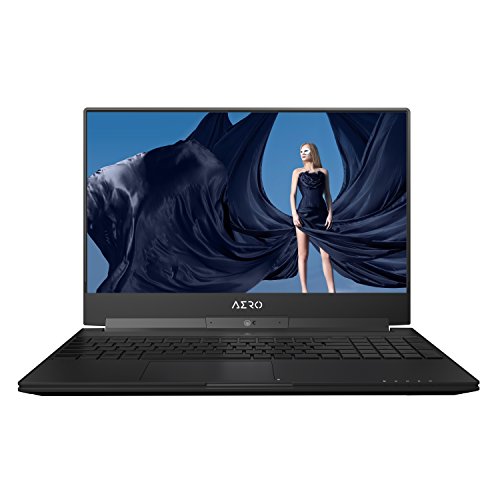
Coming forth on the list is the GIGABYTE AERO 15X V8-BK4 15 is a laptop built for gaming comprising of a Max-Q design. It has a 2.2 GHz Intel Core i7-8750H processor possibly to clock up to 4.1GHz, 16 GB of 2666 MHz DDR4 RAM and a storage of 512GB PCle M. 2SSD. The pc has NIVIDIA GeForce GTX 1070 graphics card with 8GB of GDDR5 RAM, 15.6” IPS anti-glare display with a Full HD 1920 x 1080 resolution, 144Hz refresh rate. Besides that, it also has support for NVIDIA Optimus technology. The Aero 15x V8 has UHS-II SD Card Reader, Thunderbolt 3, USB 3.1 Gen 2, Mini DP, Gigabyte Ethernet, 802.11ac Wi-Fi, Bluetooth 4.2, 720 Webcam, mic, and speakers.
The machine offers ultimate gaming, content-creation and premium VR which all can be performed on it. It is a slim fit pc that has broken boundaries in that it has the latest NVIDIA GeForce GTX 1070 GDDR5 8GB graphics in thin chassis which thus pushes limits of laptop performance. More to say that the new GPU not only delivers the ultimate performance and efficiency but also easily provides an immersive Virtual Reality experience as well as smooth high-resolution gameplay.
Additionally, to this pc is that it has a 94.24Wh 10hr-long battery life, Gigabyte Fusion per-key RGB keyboard, and much more! It’s another great deal pc, which though quite pricey, is worth your money for the kind of specifications and features it offers you. And guess what, it also offers you a maximum of a 2-year global warranty! Now, that’s something worth settling for!
Features:
GIGABYTE AERO 15X V8-BK4 15, Ultra-Slim Gaming Laptop 144Hz Anti-Glare FHD Display, i7-8750H, GeForce GTX 1070, 16GB RAM, 512GB PCI-E SSD, Metal Chassis, RGB Keys. Its slim yet powerful, explore the new world in gaming with a thin bezel, has outstanding battery life, X-Rite Pantone Color Calibration. It has Windows 10 Home, supports NVIDIA Optimus Technology and comes with 2-year global warranty.
Specifications:
Product of Gigabyte, has dimensions of 14 x 9.8 x 1 inches, weight of 4.41 pounds, has 6 processor count, is black in color, is of the Aero 15x v7-BK4 series. It has a screen size of 15.6 inches with a resolution of 1920 x 1080 pixels, has flash memory solid state Hard Drive, 1-USB 2.0 port, 1-USB 3.0 port. It has 802.11ac Wireless Type, no Optical Drive and is powered by 1 Lithium-ion battery.
5. Gigabyte Aero 15-X9-RT5P 15 – Best Gaming Laptop with 4K IPS Screen
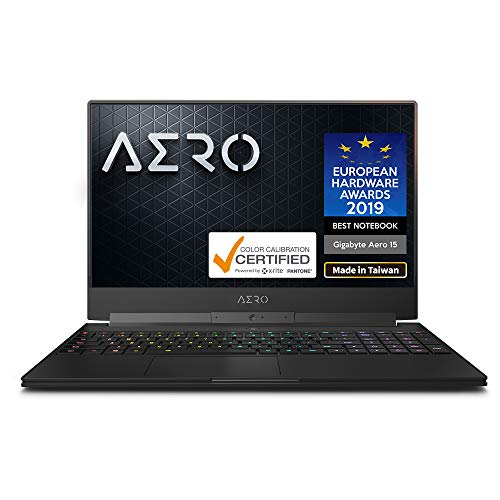
If you were wowed by Gigabyte’s Aero 15 v8, then you just might come to love the GIGABYTE AERO 15-X9-RT5P 15 which is number six on my list. The pc is a Core i7-8750H (2.2GHz-41GHz) with NVIDIA GeForce RTX 2070 GDDR6 8GB supporting NVIDIA Optimus technology. It is the world’s only ‘All Intel Inside’ laptop, world’s First Microsoft Azure AI Notebook, it is of the NVIDIA GeForce RTX 20 Series which has an LG IPS 144Hz Panel (Optional). It is a 5mm Ultra-Thin Bezel + X-Rite Pantone Certified Display pc, has Samsung DRAM Module, Nahimic 3 3D Audio for gamers, Killer DoubleShot Pro powered by Intel.
Now, before we go any further, I think it’s quite noticeable that the Gigabyte brand has been bragging in both the fourth and fifth reviewed products with IPS features in that both products are designed best to give an amazing gaming experience. So if you are a full-time gamer, this is already a closed deal. I needn’t say much to convince you about which IPS screen pc you ought to settle for. Perhaps what would be left is choosing between the Aero 15-X9 and the Aero 15 v8, which, though, are both great products each offering stunning features.
I added both from Gigabyte to give you a second option if you fancy the Gigabyte brand and its product features. In terms of the price range, you will obviously notice that the Aero 15-X-9 is more expensive than the Aero 15 v8 so even AS you look into these two products’ specifications trying to go for which one’s best for you, ensure that whichever you pick sits well with your budget. Plus this is also a good gaming machine for CSGO.
Features:
GIGABYTE AERO 15-X9-RT5P 15, thin bezel FHD 144Hz IPS, intel i7-8750H, NVIDIA GeForce RTX 2070, 2666MHz 16GB RAM, M.2 PCle, 1 TB SSD, RGB Keyboard. It has Windows 10 Pro, 94Wh Metal Chassis Ultra-Slim Gaming Laptop. Microsoft Azure AI, All Intel Inside, GeForce RTX Graphics Reinvented.
Specifications:
Product of Gigabyte, has dimensions of 14 x 9.8 x 0.74 inches, weight of 4.49 pounds, 15.6” screen size with a resolution of 1920 x 1080 pixels, 4.1 GHz Intel Mobile CPU processor, 16GB SO-DIMM. It has 1 processor count, 1 RPM Hard Drive Rotational Speed, no Optical Drive, PCIE x 4 Hard Drive Interface, 3-USB 3.0 ports, 8GB Graphics Card size. It has 8-hour working battery life and is powered by 1 Lithium-ion battery.
6. Acer Aspire 5 Slim Laptop – Affordable Acer laptop with IPS Display
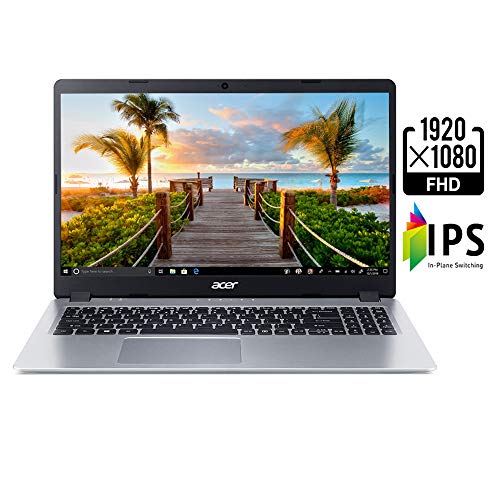
On number six, we have another Acer product, the Acer Aspire 5 Slim laptop, which is a finely priced laptop ideal for you. The pc has Core i3-8145U CPU, paired with 4GB of DDR4 RAM plus a fast 128GB PCle Nvme SSD. The Acer Aspire 5 has a backlit keyboard, has a 10-hour battery life and has full HD 1080p 15.6” wide display with thin bezels. It has an IPS screen translating into a wide viewing angle which is a great deal even for a low priced pc.
What you will also get from the Acer Aspire 5 is a full HDMI port, 2 USB 3.0 Type-A ports, a USB 3.1 Gen 1 Type C port as well as a trackpad. You may ask, why did I pick this pc for you? First of all, it’s a great deal pc offered at a fine low price for your advantage, it has a solid build quality, integrated UHD 620 enabling it for light gaming, sharp/high contrast full HD IPS. It has a lightweight design making ease of transportation, great-looking aluminum leads, good sound quality, NVME storage having also Linux support. So, come to think of it, that’s actually quite good for a pc that’s not too pricey and if the Aspire 5 is for your liking then feel free to settle for it.
Features:
ACER ASPIRE 5 SLIM LAPTOP, 15.6” Full HD IPS Display, 8th Gen Intel Core i3-8145U, 4GB DDR4, 128GB PCle Nvme SSD, Backlit keyboard, Windows 10 in S Mode, A515-5430BQ. Launch your creativity, powerful processing, 802.11ac Wi-Fi, Intel UHD Graphics 620.
Specifications:
Dimensions of 14.3 x 9.9 x 0.7 inches, 15.6-inch screen with resolution 1920 x 1080 pixels, 3.9 GHz Intel Core i3, 4 GB DDR4 RAM, 128 GB Flash Memory Solid State Hard Drive. It has a weight of 3.97 pounds, Intel UHD Graphics 620, Silver in color, 2 processor count, 0.1 Hard Drive Rotational Speed. It has 1-USB 3.1 Type C Gen 1 port, 2-USB 3.1 Gen 1 ports (one with power-off charging), 1-USB 2.0 port & 1 HDMI port with HDCP support, 9.5-hour working battery life.
7. Alienware Area-51M
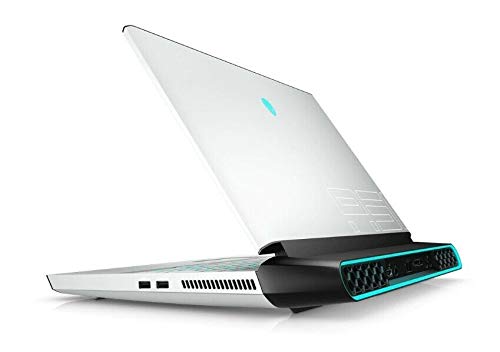
Next up, on number seven is the Alienware Area-51m which is a Core i7-9700-i9-9900K with NVIDIA GeForce RTX 2060 – 2080 with a RAM of16GB – 64GB. The laptop has a screen size 17.3” FHD resolution of 1920 x 1080 pixels, a 60Hz Anti-Glare IPS- 144Hz IPS NVIDIA G-SYNC. When it comes to storage, the Alienware Area-51 has a 1TB SSHD -2TB RAIDO SSDs + 1TB SSHD. Yet again, this another gaming laptop which is specially designed with a beautiful outer body finish. It boasts of having the best gaming components on the current market, including a choice of 9th generation Intel Core processors as well as Nvidia’s latest RTX range of CPUs.
The Alienware Area-51m is an incredibly powerful gaming laptop out there having an aesthetic design whose keyboard is perfect for use. The laptop is packed from front to back with powerful desktop hardware, bright RGB lighting and more gaming features that you could’ve possibly imagined! The pc has 3-USB 3.1 Gen 2 ports, 1-Thunderbolt 2 USB-C port, a mini DisplayPort, HDMI-out Gigabit Ethernet, 1-Alienware Graphics Amplifier, 1 x Mic-in, 1 x Headphone-out. It has an Intel UHD Graphics 630, 1650 x 802.11ac Wi-Fi, Bluetooth 5.0. So, to come to think of it this is quite a pc which if you may have noticed is the most expensive reviewed product on my list. But you have to give it credit for its design!
Features:
ALIENWARE AREA-51M 17.3” FHD 144Hz Gaming Laptop, black, has 3.6GHz i7-9700K, RTX 2060, 16GB 2666Mhz RAM, PCle 1TB SSD + 1TB SSHD, performance upgrades, warranty.
Specifications:
Product of HIDevolution, has dimensions of 15.8 x 16.1 x 1.7 inches, weight of 9.7 pounds, a screen size of 17.3 inches, 3.6 GHz Intel Mobile CPU, 32 GB SO-DIMM, 1 TB SSD. It has NVIDIA GeForce RTX 2060, Alienware Area-51M, 8 processor count, Solid State Hard Drive Interface, AC & Battery Power Source. It also RTX 2060, black chassis, 32 GB SO-DIMM and is powered by 1 Lithium-ion battery.
8. Apple MacBook Pro (15-Inch, 2019)
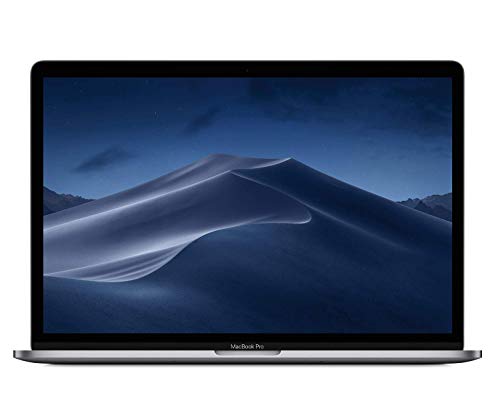
Finally, the eighth product on my list is the Apple MacBook Pro (15-inch,2019) which comprises of an Intel Core i7-i9, AMD Radeon Pro 555X – Radeon Pro Vega 20, Intel UHD Graphics 630, RAM 16GB. It has a 15.4-inch screen with a resolution of 2880 x 1800 IPS with a storage of 256GB – 4TB SSD. The MacBook Pro 15-inch, 2019, is the best MacBook Pro there has ever been designed by the Apple brand which has a super-fast performance. Some of the most powerful components in the world (including 6- and 8-core Intel processors) have been fitted into this iconic slimline MacBook body thus creating a formidable professional laptop.
Being an Apple product, without a doubt, you know that it’s expensive alright but if your budget can afford it, you will notice that this pc is an essential productivity tool. The MacBook Pro-inch, 2019, in comparison to past models, introduces new features such as an improved keyboard and the latest Intel processors. It has a backlit keyboard, 500-nit brightness, wide color P3 gamut, 4 x Thunderbolt 3 USB-C, 3.5mm headphone jack, and 802.11ac Wi-Fi. It has Bluetooth 5.0, 720p FaceTime HD webcam, 4.02-pound weight and much more. So, knowing how good the Apple brand is with its products and how much has been put into the design of this product, I needn’t say anything more about it. If you’ve got the money, then you go for it! The MacBook Pro is also the perfect machine for real estate agents.
Features:
APPLE MACBOOK PRO (15-INCH, 2019), space grey, 16GB RAM, 256GB storage, 9th Gen 6-Core Intel Core i7 Processor, brilliant Retina Display with True Tone technology. It has Touch Bar and Touch ID, Radeon 555x Graphics with 4GB of video Memory, Ultrafast SSD, Intel UHD 630. It has four Thunderbolt 3 (USB-C) ports, 802.11AC Wi-Fi, a force touch trackpad and a maximum working battery life of up to 10 hours.
Specifications:
Dimensions of 7.9 x 12 x 0.6 inches, weight of 7.28 pounds, shipping weight of 7.15 pounds, turbo boost up to 4.8 GHz with 16MB shared cache. It has 2880 x 1800 native resolution at 220 pixels per inch with support for millions of colors. It has a 16:10 aspect ratio and is powered by 1 Lithium-ion battery.
Conclusion
And that’s it! I think that’s about everything you’d need when choosing which IPS screen pc to settle for. I sure hope this has made the work much easier. I’ve reviewed the top eight best budget laptops with IPS display of today and it will be entirely up to you to choose which one works best for you.