

Lenovo is a Chinese company founded in 1984. It is always looking for improving their products and it is known for offering a nice variety of electronic devices. This time, we have come up with a top ten of Lenovo Laptops, so you can choose the one that fits your needs.

Top 10 Best lenovo Laptop
- Lenovo Legion 5 Gaming Laptop.
- Lenovo ThinkPad E590 15.6″ HD Business Laptop.
- 2020 Lenovo ThinkPad E15 15.6” FHD Business Laptop.
- Lenovo Flex 5 14″ 2-in-1 Laptop.
- Lenovo Yoga 730 2-in-1 15.6″ FHD IPS Touch-Screen Laptop.
- Lenovo IdeaPad 3 14″ FHD Laptop.
- Lenovo Yoga C740 14” FHD Touch-Screen.
- Lenovo IdeaPad L340 Gaming Laptop.
- Lenovo Chromebook Flex 5 13″ Laptop.
- Lenovo IdeaPad S145 15.6″ HD Business Laptop.
The best Lenovo Laptop is among these computers and we will show the features, specifications, pros and cons of each one, so you can decide which one is the right option for you, and here they are:
1. Lenovo Legion 5 Gaming Laptop
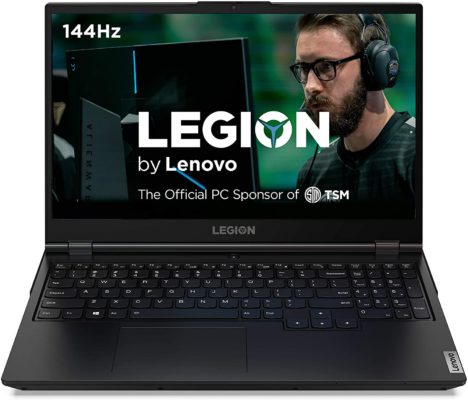
If you like big screens, this Lenovo Legion 5 is the closest to a Lenovo 17 Inch Laptop you will get. It is available on Amazon for $1,000 and it will offer you a nice and clean performance during your favorite video games. It has a powerful processor that allows you to accomplish different demanding tasks, such as gaming or designing and editions duties.
Features
This computer will give one of the best gaming performances you will see. It has the awesome AMD Ryzen 7 4800H mobile processor, along with the revolutionary AMD 7nm “Zen 2” core architecture, ensuring a clean and smooth running of your high-end games and applications. It has 16 GB (3200MHz) DDR4 memory, 512 GB M.2 NVMe PCIe SSD storage, NVidia GeForce GTX 1660Ti GPU, Dual Burn Support, which allows both CPU and GPU to work together with major efficiency for improved framerates, and it also has the Legion Coldfront 2.0, that keeps it cool. It comes with the Windows 10 Home operating system installed.
It has the Legion TrueStrike keyboard which gives you 100% anti-ghosting and soft-landing switches, having 1.5mm key travel that leverage a second-transition design, this keyboard is one of the most comfortable on market. It has the HD 720p webcam with physical privacy shutter, 802.11ax WiFi and Bluetooth, Gigabit-Ethernet, USB 3.2 Gen 1 (Type C; DisplayPort), 2 USB 3.2 Gen 1 (Type A), 2 USB 3.2 Gen 1 (Type A), HDMI, power supply, port for cable lock and combined audio. This computer also includes an 1-month unlimited access to over 100 high-quality PC games on Windows 10 with Xbox Game Pass for PC.
Specifications
This Lenovo Laptop has 15.6″ FHD IPS display with fast refresh of 144 Hz, outstanding clarity and deep colors. Its maximum resolution is 1920 x 1080 pixels.
This Phantom Black computer has a nice and minimalist design. Its overall dimensions are 14.29 x 10.22 x 0.98 inches and weighs 5.41 lbs. It has clean lines infused with subtle design notes, light-refracting hinge and logo finish give it a really attractive look, built from durable anti-smudge polymer talcum-injected materials.
It has 1 Lithium Polymer battery, able to last for more than seven hours of web browsing and it can go from 0 to 50% in less than 30 minutes with Rapid Charge Pro.
2. Lenovo Thinkpad E590 15.6″ HD Business Laptop

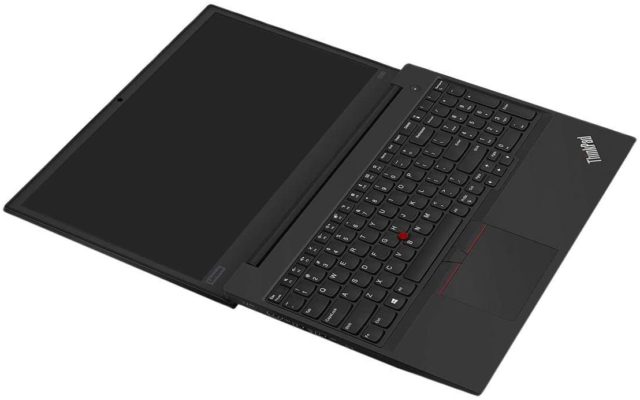
The ThinkPad E590 is waiting patiently on Amazon platform for $830. This computer was designed for those people with small businesses or those who are self-employed. This laptop can maximize your productivity, giving you an essential performance and hardware durability for a fair value. If you are looking for a Lenovo i7 Laptop, we need to tell you that this computer will accomplish your expectations with its powerful i5-8265U Quad-Core Eight-Threads processor. This laptop is also ideal for stock trading tasks.
Features
This computer is a Lenovo i5 Laptop, which delivers a nice and clean performance with its Whiskey Lake-U Intel Quad-Core i5-8265U, able to run up from 1.6 GHz and boost up to Turbo 3.90 GHz, with 4 Cores, 8 Threads and 6 MB of SmartCache. It also has 16 GB DDR4 RAM, 512 GB PCIe NVMe M.2 SSD storage and the Integrated Intel UHD Graphics 620. It also works with the Windows 10 Professional 64-bit operating system.
It has a non-backlit keyboard, front facing HD webcam, the Intel 9260 11ac 2×2 WiFi and Bluetooth 5.0 Combo, a USB Type-C (Power Port), HDMI, USB Type 3.0, USB Type 3.0, headphone and microphone combo jack, USB 2.0 Type-A, RJ-45 and its micro SD reader.
Specifications
It has the 15.6-inch anti-glare Display. Its maximum resolution is 1366 x 768 pixels, while its brightness distribution is roughly 90%.
It is completely capable of handling shocks and drops with its MIL-STD-810G military certification. It has a sleek design and smart metallic construction with overall dimensions of 9.92 x 14.53 x 0.78 inches, weighing 4.7 pounds and Black colored.
It uses a 3-cell with 45 WHr Li-ion battery, able to run for more than six hours of usage and it can be fully charged in less than two hours.
3. 2020 Lenovo ThinkPad E15 15.6” FHD Business Laptop Computer
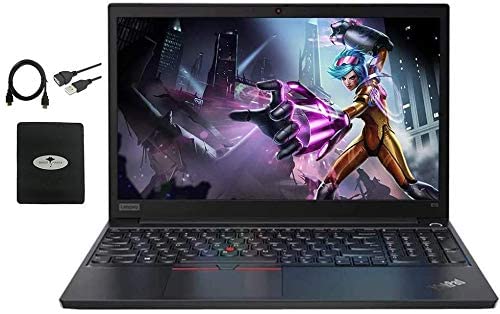
This computer is near to a Lenovo Workstation Laptop. It delivers a nice and smooth performance, ideal for engineers and architects. It has a sleek metallic design with powerful features. It is available on Amazon platform for the price of $1,000.
Features
It has the 10th generation Quad-Core i5-10210U, able to go from 1.6 GHz base frequency and up to 4.2 GHz with Intel Turbo Boost Technology, with 6 MB cache. It also has the Intel UHD Graphics. The laptop has been upgraded to 16 GB DDR4 memory for multitasking duties, it has been upgraded to 1 TB SSD to boot up in seconds, faster and more reliably. It comes with the Windows 10 Professional 64-bit operating system. It also has 1 HDMI, 2 USB 3.1 Gen 1, 1 USB-C 3.1 Gen 1, 1 USB 2.0, 1 headphone and microphone combo jack, 1 RJ45 and wireless 802.11ac WiFi and Bluetooth.
Specifications
It has the 15.6” FHD IPS anti-glare LED display with maximum resolution of 1920 x 1080 pixels. This Lenovo Laptop has a sleek metallic and sturdy aluminum chassis, designed to travel with you. Its overall dimensions are 14.50 x 9.70 x 0.70 inches and weighs only 4.30 lbs. It has a 3-Cell 45WHr Li-ion battery, which is able to stand up to 11 hours of mixed usage.
4. Lenovo Flex 5 14″ 2-in-1 Laptop

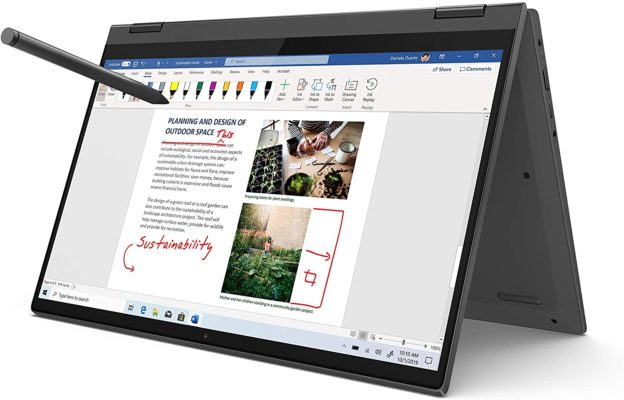
This Lenovo 2 in 1 Laptop is an awesome option from Lenovo’s products. For only $700 you can get this beauty through Amazon platform. It has a 360⁰ hinge which allows you to use it as you prefer. This 2-in-1 touchscreen laptop is able to travel with you anywhere you go, giving you the chance to work or entertain yourself in any chance you get.
Features
It features the AMD Ryzen 5 4500U mobile processor with 16 GB DDR4 Memory, 256 GB SSD Storage and the Integrated AMD Radeon Graphics. This computer gives you the performance you need to get your job done. It has an HDMI 1.4b, a USB Type-C 3.2 (Gen. 1) port (able to charge the laptop), an audio jack, two USB Type-A 3.2 (Gen. 1) ports and an SD card reader.
Specifications
This Lenovo 14 Inch Laptop has a 10-point FHD IPS touchscreen, with maximum resolution of 1920 x 1080 pixels, it also has a narrow bezel on its four sides, giving you a bigger viewing area. This computer has a thin, light and attractive design, soft and comfortable to give you a nice user experience. Its overall dimensions are 12.66 x 8.56 x 0.82 inches and weighs 3.63 lbs, it comes in Graphite grey color and its purchase includes a digital pen. In the matter of battery life, this laptop will give you 8 hours and 20 minutes of web browsing, and it will reach 80% of charge in just 1 hour.
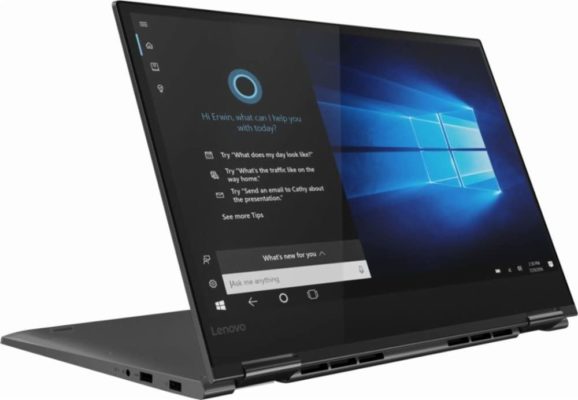
5. Lenovo Yoga 730 2-in-1 15.6″ FHD IPS Touch-Screen Laptop

This Lenovo Yoga Laptop is offered on Amazon platform for $830 and it will give you excellent ergonomic specifications with a decent design and a solid performance for you to handle most work duties.
Features
It has the Intel i5-8250U processor able to boost up to 1.6 GHz, it has the 8 GB DDR4 RAM, 256 GB PCIe SSD and it works with the integrated Intel UHD Graphics 620 which boost up to 2400 MHz. This computer was built for Windows Ink and Windows 10 operating systems. This Yoga 730 is completely capable of multitasking jobs, thanks to its Dual-Core processor and its other good features. It also has a fingerprint reader, a backlit keyboard, 802.11ac WiFi and Bluetooth, two full-size USB 3.0 sockets and a Type-C Thunderbolt port and a full-sized HDMI.
Specifications
The Lenovo Touch Screen Laptop has a 15.6″ FHD IPS display with maximum resolution of 1920 x 1080 pixels and a brightness level of 300 nits, which is really nice, ideal for indoor and outdoor working. The overall dimensions of this computer are 14.20 x 9.80 x 0.70 inches, weighs only 2.60 lbs and comes in Iron grey color. Its body is fully made from aluminum, giving you rigidity and durability, with a subtle Lenovo logo on the left side of the screen, slim bezels around the panel, and two plain hinges. It has a 1 Lithium Polymer battery which will last for 8 hours of mixed usage.
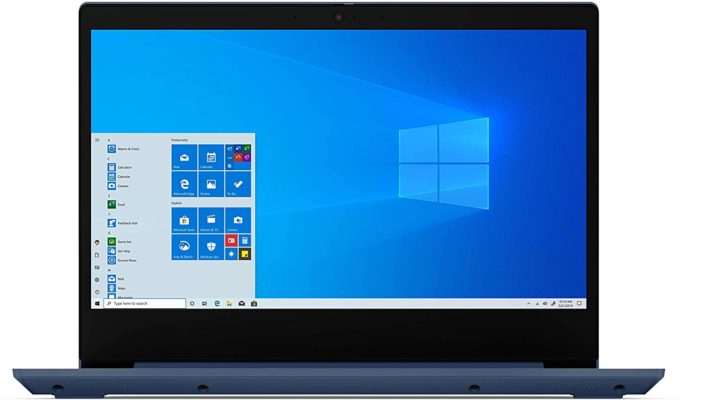
6. Lenovo IdeaPad 3 14″ Laptop
We all want a good and reliable computer for a fair amount of money, and this Lenovo Laptop is what we are talking about, since for $425 you can get a powerful device to accomplish all of your multitasking duties. Need a good quality and affordable computer? This is the one for you.
Features
It features the AMD Ryzen 5 3500U Mobile processors, able to boost up to 2.1 GHz, working with Radeon Graphics, delivering a powerful performance for everyday tasks. It has 8 GB DDR4 SDRAM and 32 GB eMMC Flash Memory. It also comes with the Windows 10 operating system that will be really helpful with your daily tasks, as web surfing, video playback and office work. It has a backlit keyboard, Dopoundsy Audio which delivers a crystal-clear sound, HDMI, USB Type-C 3.1 (Gen. 2), two USB Type-A 3.1 (Gen. 1), an SD card reader, 2×2 Wi-Fi 5 and Bluetooth and a 720p webcam with its physical shutter.
Specifications
It has the 14-inch FHD screen and narrow side bezels that give more viewing area and less clutter, offering a nice visual experience with a maximum resolution of 1920 x 1080 pixels. This display uses a twisted-nematic (TN) panel and a LED backlight, taking its brightness to 220 nits. The overall dimensions of this device are 12.88 x 9.49 x 0.78 inches, weighing only 3.30 lbs and it comes in Abyss blue color. It uses a big 52.5Wh battery, which means that you easily can get 12 hours of web surfing and 10 hours of video playback, so you won’t worry about connecting it to electricity with too much frequency.
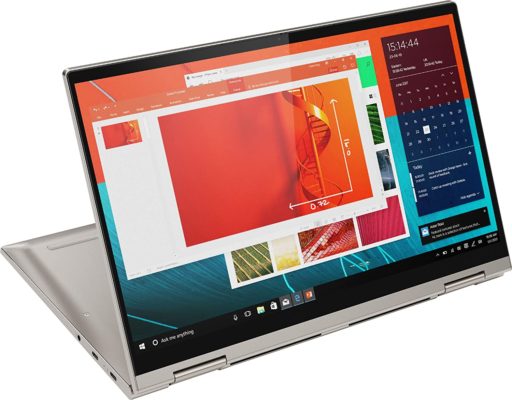
7. Lenovo Yoga C740-14 FHD Touch

The Lenovo Yoga C740 is an affordable computer but without having a cheap feel. It offers many highlights in comparison with its price. You can get this computer on Amazon platform for $640.
Features
It has the Intel 10th generation Quad-Core i5-10210U able to run up to 1.6 GHz base and up to boost 4.2GHz turbo, an eight-way processing that gives you the maximum efficiency and power to go. It has 8GB DDR4 (2666 MHz and 6MB Cache) and 256GB SSD, working with the integrated Intel UHD Graphics and it comes with the Windows 10 Home operating system. This Lenovo Laptop processor takes the Yoga C740 to another midfield finish. It also has 1 USB 3.0 Type A Ports, 2 USB 3.1 Type C Ports, 1 headphone and microphone combo jack, 802.11ac WiFi and Bluetooth, backlit keyboard, fingerprint reader, 720p webcam and it has no DVD/CD drive.
Specifications
This Yoga has a 2-in-1 14″ FHD LED, 10-point, Touch-Screen that offers a really nice color and clarity, with maximum resolution of 1920 x 1080. You can touch, tap and glide to take the best advantage from your Windows 10. Also, its IPS technology gives wider viewing angles. The overall dimensions of this computer is 12.70 x 8.40 x 0.70 inches, weighing only 3.10 lbs and delivered in silver-gray aluminum. It has a 4-cell Lithium-ion battery that offers 11 hours of use.
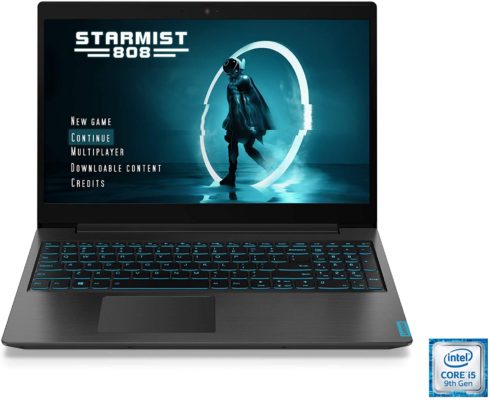
8. Lenovo IdeaPad L340 Gaming Laptop

The IdeaPad L340 is one awesome Lenovo Gaming Laptop, it is smaller, affordable and way more powerful than its predecessor. This could be a nice candidate for budget gamer’s essential tool. You can get this nice computer for $700 on Amazon platform and combine it with a nice mouse and you won’t stop gaming in a long time.
Features
It has the 9th generation Intel Core i5 processor, an 8 GB DDR4 RAM and 512 GB NVMe SSD, working with the NVidia GeForce GTX 1650. It also comes with the Windows 10 operating system installed. This laptop has a really good thermal control, keeping itself cold but working in silence, giving you a really nice gaming experience in two distinct modes: ‘Quick’ for gaming and ‘Quiet’ for working. It has a 720p webcam with physical shutter, Dopoundsy audio technology, 801.11ac WiFi and Bluetooth, Gigabit Ethernet, HDMI, 2 USB 3.1 Gen1, 1 combined 3.5 mm audio jack and 1 USB 3.0 Type-C.
Specifications
It has the 15.6-inch screen with a stunning full HD IPS display, its maximum resolution is 1920 x 1080 pixels. It has the Lenovo Vantage Eye Care Mode, which reduces blue light emission and adjusting color tone to avoid eye strain and fatigue. This computer comes in color black, with overall dimensions of 14.29 x 10.02 x 0.94 inches, weighing 4.84 lbs and an acceptable build quality for the price. It works with a 1-Lithium Polymer battery of 45Wh that gives you 7 hours of web browsing or 5 hours and 45 minutes of video playback.
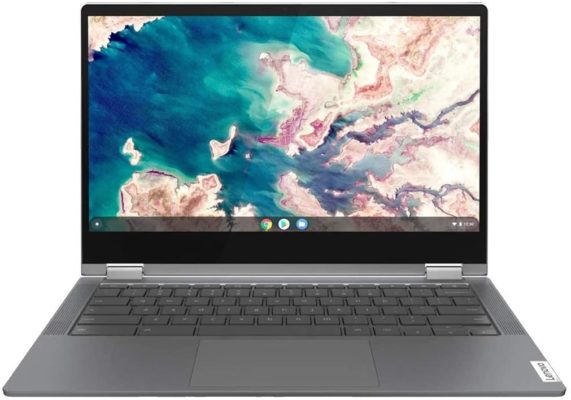
9. Lenovo Chromebook Flex 5 13″ Laptop
This Lenovo Laptop will allow you to work from home with the comfort and high performance of your office, this responsive computer is the answer to your request of a cheap, versatile and useful device. It is available on Amazon platform for the price of $480. Here you can check its specs.
Features
It has the Intel 10th generation i3 processor with the Intel Integrated Graphics, 4 GB of RAM and 64 GB of storage. It also comes with the Chrome OS operating system installed. It is perfect to accomplish any office tasks, such as using Google Docs, watching YouTube videos, and even video conferencing through Google Hangouts or Skype. It has a full backlit keyboard with 1.4 mm key travel distance, two stereo speakers, a built-in webcam, 2 USB Type-C ports, a USB Type-A port, an audio jack and the latest Intel Wi-Fi 6 and Bluetooth 5.0.
Specifications
It has the 13-inch FHD display touchscreen which offers you crisp text and vivid colors with a maximum brightness of 250. This computer is one of the most portable laptops you will get on market. Its overall dimensions are 12.20 x 8.43 x 0.67 inches, weighing 2.97 lbs and delivered in Graphite grey color. It has a solid metal chassis with a premium-feeling, part-aluminum body. Its battery is able to stand up to 10 hours of usage, so you will keep yourself productive.
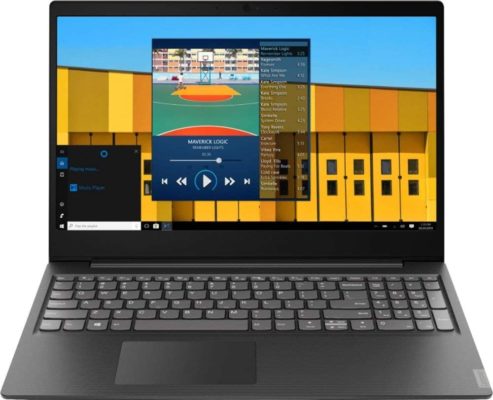
10. Lenovo IdeaPad S145 15.6″ HD Business Laptop
This is a fairly portable laptop, the IdeaPad S145 is sturdy, lightweight and powerful for its price. This computer is available for $500 on Amazon platform.
Features
It has the AMD A6-9225 Dual-Core accelerated processor able to run from 2. 6 GHz base and boost up to 3.0GHz, it has 8 GB RAM, 1 TB HDD, integrated and dedicated AMD Radeon R4 Graphics and Windows 10 operating system. It has 80211ac WiFi and Bluetooth 4.0, media card reader, HD Audio with Stereo Speakers, webcam, 2 USB 3. 1 Type-A, 1 USB 2. 0, 1 HDMI, 1 headphone and microphone combo Jack, full-size Island-style keyboard with numeric keypad.
Specifications
This Lenovo Laptop has a 15. 6-inch diagonal HD SVA WLED-backlit display with maximum resolution of 1366 x 768 pixels. It has a fashioned plastic black design with overall dimensions of 14.30 x 9.90 x 0.80 inches and weighing 4.00 lbs. Its 30 Wh battery is big enough to hold 4 hours and a half of web browsing and 5 hours of video playback.
Conclusion
Lenovo has amazing devices, as the company is always looking to improve the users’ experience. Any of the previous computers can accomplish your daily tasks, but the decision is only up to you. We always recommend reviewing your own needs and budget before taking any option, but for sure a Lenovo Laptop will do it right.