

The gaming universe and the streaming world is demanding, and a laptop powerful enough to run the latest games is something that every gamer needs!

Over time, video games are compatible with more consoles, there are more game-play options, and graphics have advanced dramatically. Gone are the days of polygonal characters with basic animations. Currently, the image quality reaches an almost real level, turning the entire gaming experience into something striking and immersive.
But the higher quality and graphics the game offers, the higher are the requirements for it to run without problems, therefore, a laptop especially for gaming has become a great alternative that some can access. As I recognize that not all of us have a high budget to acquire new devices, I decided to select laptops that, although they can run the most demanding games, have prices that can surprise more than one.
If you are in the search of the Best Gaming Laptops Under 1500 you need to know that there are a lot of factors to consider in gaming laptops, with the main being:
Graphics: A powerful GPU is essential in the life of every gamer. A suitable graphics card can work well with 1080p resolution. The best? The NVIDIA GeForce RTX and GTX GPU series.
Processor: You need a processor that allows optimal performance, and anything from 6 cores is more than enough. You can find this in some Best Gaming laptops under 1500.
RAM Memory: The current gaming standard is 16 GB of memory, anything below that should be ruled out. While most games run fine with 8 GB, the requirements for new games are increasing…
Storage: A 256 GB hard drive is the minimum acceptable for storing games. Fortunately, many computers with this capability are upgradeable or allow you to add more hard drives.
Screen: Beyond size, sharpness is important. A gaming laptop must have a minimum resolution of 1080p, with a refresh rate of 140 Hz.
Cooling system: With the high performance of gaming laptops, it is essential to have a cooling system that allows all the heat generated by the components to be released. We will appreciate this in the long run, since a laptop with this quality will be durable.
Keyboard: It may seem needless, but gamers appreciate backlit keyboards, especially for those late-night gaming sessions.
Top 8 Best Gaming Laptop Under $1500
- ASUS ROG Strix G15
- Acer Predator Helios 300
- MSI GL66
- ASUS TUF Gaming F15
- MSI GF75 Thin 10UEK-029
- Acer Nitro 5 AN517-54-79L1
- Razer Blade 15
- Dell Gaming G3
1. ASUS ROG Strix G15

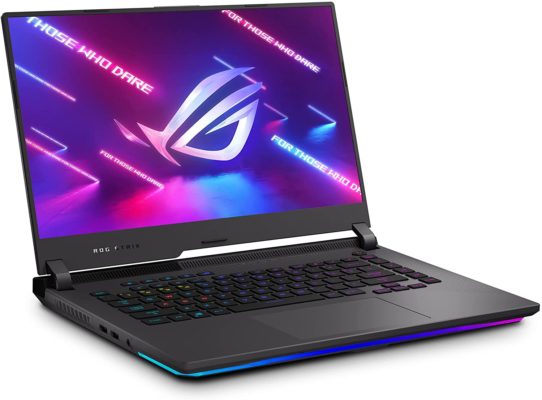
Just as a hero requires the most powerful weapon to face his enemies, gamers need a powerful laptop to defeat their opponents, so, if you’re looking for the win, here’s the first laptop on my list. The Best Gaming Laptop Under 1500 is the ASUS ROG Strix G15, a mid-range gaming laptop loaded with features like GeForce RTX 3050 Ti GPU and is the first laptop with a powerful AMD eight-core Ryzen 7 5800H CPU. This powerful and advanced GPU architecture combined with 16 GB DDR4 will run the most demanding games, including Far Cry 6 or Fortnite with no issues, which will load instantly from its 1 TB PCIe SSD. Elegant and compact design, with a 15.6-inch screen, WQHD resolution (1920×1080), 165 Hz refresh rate, 3 ms panel with 100% DCI-P3 color space coverage.
Don’t worry about the heat that such power can generate. This gaming “beast” comes with ROG Intelligent Cooling thermal system with Thermal Grizzly Liquid Metal Thermal Compound, and a well-ventilated exterior (4 air vents) to keep the laptop quiet and free from any overheating. Its Eclipse Gray plastic building includes the ROG letters and a Backlit Chiclet Keyboard with 4-Zone RGB LED lighting and lighting at the bottom of the base. Twin Smart Amp speakers for average sound quality and Dolby Atmos sound with AI noise-canceling technology for a supreme audio experience with headphones. Its 90-Wh battery delivers up to 6 hours of continuous ultra-smooth gaming usage. The price? Despite being one of the Best ASUS Laptops available now, it costs around $1,300.00.
Features:
Gaming laptop, 15.6” 300 Hz IPS Type FHD Display, Adaptive-Sync technology, NVIDIA GeForce RTX 3050 Ti, AMD Ryzen R7-5800H, Liquid Metal Technology, 16 GB DDR4, 1 TB PCIe SSD, RGB Keyboard, Aura Sync Light Bar, Windows 10, Eclipse Gray, Fast charging technology. Six Hours battery life.
Specifications:
AMD Ryzen 7 5800H Mobile Processor (8-core, 16 MB Cache, 4.4 GHz max boost). NVIDIA GeForce RTX 3050 Ti Laptop GPU with ROG Boost up to 1795 MHz. 16 GB DDR4 and 1TB M.2 NVMe PCIe 3.0 SSD. 15.6” FHD (1920 x 1080) 16:9 IPS-Type Display. The ASUS ROG Strix G15 weighs 4.63 pounds and its dimensions are 13.94 x 10.2 x 1.02 inches. Backlit Chiclet Keyboard 4-Zone RGB and Touchpad. Twin Smart Amp speakers, Dolby Atmos Technology, Built-in array microphone. I/O ports: 1 HDMI 2.0b, 3 USB 3.2 Gen 1 Type-A, 1 USB 3.2 Gen 2 Type-C, 1 RJ45 LAN port and 3.5 mm Combo Audio Jack. Wi-Fi 6(802.11ax) and Bluetooth 5.1 for ultrafast wireless connectivity. 56WHrs, 4S1P, 4-cell Li-ion battery brings up to 6 hours of usage.
2. Acer Predator Helios 300

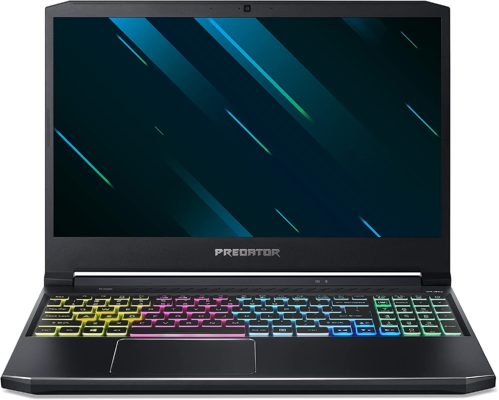
My player number 2 can easily beat the competition or eat up it… since it’s a “Predator”. The Helios 300 is powered by a 10th Gen Intel i7-10750H 6-Core Processor and 16 GB RAM. It comes with a 15.6” Full HD IPS Display with NVIDIA GeForce RTX 2060 6 GB, overwhelming Turing architecture graphics for a panel with 3ms overdrive response time. This mid-range gaming machine costs $1,475.00 on Amazon.
Killer DoubleShot Pro Wi-Fi 6 will allow you to connect and play from wherever you are, and while we’re talking about connections, this laptop has a good port selection. Perhaps its less transcendental aspect is a not-insignificant 512 GB PCIe NVMe SSD, but there is a slot to add extra storage! The Acer Predator Helios not only run all kinds of video games or isn’t just one of the Best Gaming Laptops Under 1500. It also has been a powerful ally for students of careers such as civil engineering, who find everything they need among this series. It works great with multitasking, and you can play for 6 hours without any need of charging. Its DTS: X ULTRA Sound System provides 360° surround sound, plus it has 4th Gen AeroBlade 3D technology for great cooling.
Features:
Gaming Laptop, 15.6” Full HD 144 Hz 3ms IPS Display, NVIDIA GeForce RTX 2060 6 GB, Nvidia Turing Architecture, Intel i7-10750H,16 GB Dual-Channel DDR4, 512 GB NVMe SSD, 4th Gen All-Metal AeroBlade 3D Fan, Wi-Fi 6, RGB Keyboard, Windows 10 Home 64 Bit. Protective Sleeve. 6 Hours.
Specifications:
15.6” Full HD (1920 × 1080) Widescreen LED-backlit IPS display (144 Hz Refresh Rate, 3ms Overdrive Response Time, 300 nit Brightness & 72% NTSC). 10th Generation Intel Core i7-10750H 6-Core Processor (Up to 5.0 GHz), Overclockable NVIDIA GeForce RTX 2060 with 6 GB of dedicated GDDR6 VRAM. 16 GB DDR4 2933 MHz Dual-Channel Memory, 512 GB NVMe SSD. Ports selection: 1 USB 3. 2 Gen 2 Type-C, 1 USB 3. 2 Gen 2, 2 USB 3. 2 Gen 1, 1 HDMI 2. 0 with HDCP Support, 1 Mini Display Port 1. 4. Killer Double Shot Pro Wireless-AX Wi-Fi 6, Killer Ethernet E2600 Gigabit Ethernet LAN, Bluetooth 5. The items dimensions are 14.31 x 10.04 x 0.9 inches and it weighs 5.07 pounds. Includes: DTS X: Ultra-Audio, Acer True Harmony Technology, Two Built-in Stereo Speakers, Acer Purified Voice technology with two built-in microphones. 4th Gen All-Metal AeroBlade 3D Fan, 4-Zone RGB Backlit Keyboard and HD Webcam (1280 x 720) SHDR are also part of its structure. Lithium-ion Battery, Up to 6-hours Battery Life. Includes protective sleeve.
3. MSI GL66
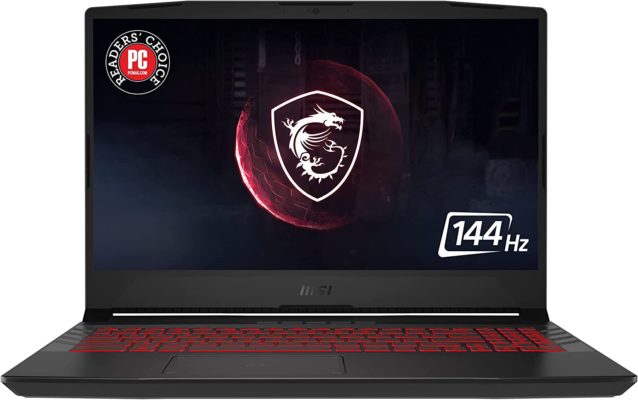
If you are a streamer or you usually share online the tournaments you participate in, the MSI is for you, with Wi-Fi 6 for the most immersive communication, 720p webcam, 2 speakers with Nahimic 3 for surround sound, and Built-In Microphone. Inside, this Titanium Gray laptop is powered by an 11th Gen. Intel Core i7 processor, NVIDIA GeForce RTX 3070 and, 16 GB RAM, so you can play Forza Horizon 5, Assassin’s Creed Valhalla, or Halo Infinite without any lag.
It seems great? Well, my third choice also comes with a 15.6” 144 Hz display, which delivers true-to-life images with a high refresh rate, you will never miss a thing on the screen! There is also a 512 GB SSD, so all your games will be well saved and ready to be loaded. The MSI GL66 includes an RGB lighting keyboard with Mystic Light to match your gaming style and for a cooler experience, it is built with a thermal structure that ensures air flows under hard-gaming sessions. Its price is $1,300.
Features:
15.6” 144Hz FHD 1080p Display, Intel Core i7-11800H, NVIDIA GeForce RTX 3070, 16 GB, 512 GB SSD, Wi-Fi 6, Titanium Gray, Windows 10, 4 hours.
Specifications:
15.60 inch 16:9 display, 1920 x 1080 pixel 141 PPI, IPS, 144 Hz. Intel Core i7-11800H 8 x 2.3 – 4.6 GHz, Tiger Lake H45. NVIDIA GeForce RTX 3050 Ti Laptop GPU, 4096 MB, Core: 1785 MHz, 60 W TDP, GDDR6. 16 GB DDR4-3200 RAM. 512 GB SSD. 2 USB 3.2 Gen 1 Type-A, 1 USB 3.2 Gen 1 Type-C, 1 USB 2.0, HDMI, RJ-45 Internet, 3.5mm combination headphone/microphone jack are the I/O ports. Intel Wi-Fi 6, Bluetooth 5.1. RGB keyboard with customizable keys’ lighting. HD Webcam (30fps@720p). Weight: 4.63 pounds. Its structure measures 14.13 x 10.2 x 0.94 inches.
Battery life is 4 hours, display is 15.6 FHD, Graphics is NVIDIA GeForce GTX 1080, hard disk is 1TB, RAM is 16 GB, processor is about intel core i7 8750 H-6 cores.
4. ASUS TUF Gaming F15

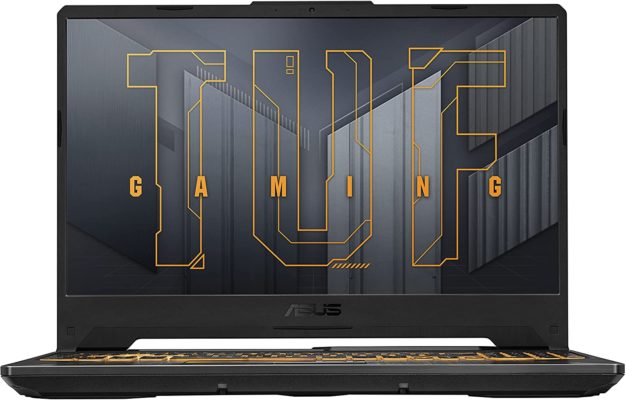
As part of my “team” of the best laptops under 1500, the TUF Gaming F15 could not be missing. This is another device developed by the ASUS company, specially designed for the toughest battles, the most demanding games, and the most skilled players, but its use is not limited to this. Do you need a powerful and reliable gaming system? We are faced with a 10 generation Intel Core i7-11800H Processor, combined with a powerful GeForce RTX 3050 Ti that provides stunning graphics for its 15.6” 144Hz Full HD (1920×1080) IPS-Type display, nothing a gamer would despise.
In the storage section, we find the same combination of 16 GB DDR4 RAM and 512 GB PCIe that we have seen in previous notebooks and that adapt to any task beyond leisure, inside a laptop with a futuristic and polygonal design with Durable MIL-STD-810H military standard construction. It costs $1,250.00 on Amazon. Choose between Fortress Gray or Bonfire Black and enjoy a laptop with a keyboard optimized for gaming, DTS:X Ultra technology for immersive surround sound, and a dual fan self-cleaning cooling system.
Features:
15.6” 144Hz Full HD (1920×1080) IPS-Type display, 11th Gen Intel Core i7-11800H Processor (24M Cache, up to 4.6 GHz, 8 Cores), NVIDIA GeForce RTX 3050 Ti 4 GB GDDR6 Graphics, 16 GB DDR4 3200 MHz RAM, 512 GB PCIe SSD, Fortress Gray/Bonfire Black, Thunderbolt 4, Windows 10 Pro, 8 hours.
Specifications:
15.6-inch, FHD (1920 x 1080) 16:9, anti-glare display, NVIDIA GeForce RTX 3050 Ti 4 GB GDDR6 Graphics up to 1585MHz at 60W (75W with Dynamic Boost 2.0), 11th Generation Intel Core i7-10870H Processor 2.2 GHz (16M Cache, up to 5.0 GHz, 8 cores), 512 GB M.2 NVMe PCIe 3.0 SSD. Durable MIL-STD-810H military standard construction, 83-Blade LCP Fans with anti-dust tunnels. Item dimensions: 14.13 x 10.08 x 0.96 inches. The ASUS TUF Gaming F15 weighs 5.07 pounds. Backlit Chiclet Keyboard RGB. I/O ports: 1 USB 2.0 Type-A, 2 USB 3.2 Gen 1 Type-A, 1 USB 3.2 Gen 2 Type-C with Thunderbolt 4 support, 1 USB 3.2 Gen 1 Type-C, HDMI 2.0b and 3.5mm Combo Audio Jack. DTS:X Ultra technology delivers high-fidelity 7.1. 720P HD camera. Wi-Fi 6 with Gig+ (802.11ax), Bluetooth.
5. MSI GF75 Thin 10UEK-029

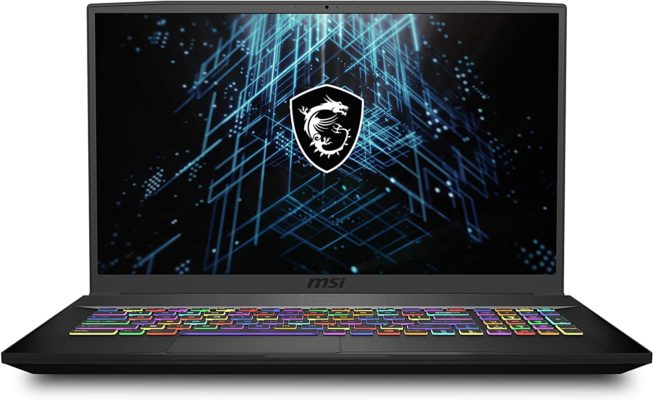
Reasonably priced at $1,400, this Toshiba laptop comes equipped with Intel Core i7-10750H 2.6-5.0 GHz, NVIDIA GeForce RTX 3060 Max-Q 6 GB GDDR6 and 16 GB DDR4 3200MHz RAM, with these features it delivers outstanding performance. This is a 17-inch on a 15-inch laptop body, capable of handling lots of performance-demanding video games, like Assassin’s Creed: Valhalla or Final Fantasy XV.
In addition, it’s rather discreet design means that -except for the logo on its cover- we can pretend that this Core Black laptop is not a gaming device. In its hair-brushed Aluminum finish, its keyboard stands out with red edges, matching its backlit and it also contains a trackpad slightly displaced to the left. Despite its size, the screen is not among the best on my list, with limited brightness and color intensity. However, it is a considerable option compared to the high-end gaming laptops in the MSI family.
Features:
Gaming Laptop, 17.3” 144Hz 3ms FHD, NVIDIA GeForce RTX3060, Intel Core i7-10750H, 16 GB RAM, 512 GB NVMe SSD, Core Black, Windows 10 Home, 4 hours.
Specifications:
Full-HD 1920×1080 17.3″ Thin Bezel, IPS 144Hz, 45% NTS, 3ms, NVIDIA GeForce RTX 3060 graphics, 10th Gen of Intel Core i7-10750H (2.60 – 5.0 GHz clock speed), 16 GB (2×8 GB) dual-channel DDR4 (3200MHz), 512 GB NVMe SSD. HDMI (supports 4K @ 60Hz), 3 USB 3.2 Gen 1 Type-A, 1 USB 3.2 Gen 1 Type-C, 1 RJ-45 Ethernet port to connect peripherals. Wi-Fi 6, Bluetooth 5.1. 720p HD Webcam, 2 built-in speakers with Nahimic 3/Hi-Res Audio, built-in Microphone, Steel Series per-Key RGB with Anti-Ghost key and silver lining. Its dimensions are 15.63 x 10.24 x 0.9 inches and it weighs 4.85 pounds. Intel Wi-Fi 6 AX201, Realtek RTL8111H-CG Ethernet controller, Bluetooth 5.1. 51 Wh Lithium-Polymer, 3-cell battery which delivers up to 4 hours of continuous usage.
6. Acer Nitro 5 AN517-54-79L1
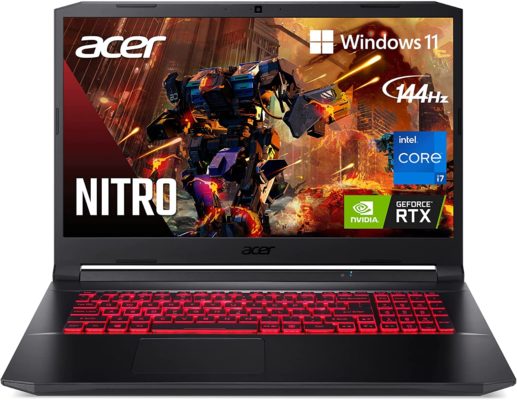
Acer is better known for its affordable laptops and wide catalog, with remarkable devices from notebooks to outstanding gaming stations. The Acer Nitro 5 is part of the Nitro Series, the specific band’s affordable gaming machines. With this model we are back to the 1 TB NVMe SSD and we find again a powerful Intel Core i7-11800H, it’s like a gaming average feature, don’t you think? The 17.3” FHD 144 Hz IPS Display is powered with NVIDIA GeForce RTX 3050 Ti GPU and includes 16 GB DDR4, so you will enjoy games with great visual intensity and considerable response rate when playing games like Cyberpunk 2077 or GTA V.
The Acer Nitro 5 comes with Killer Wi-Fi 6 and Ethernet E2600 for faster connectivity and Acer CoolBoost technology for best cooling for long gaming sessions. Its Shale Black design contains DTS:X Ultra audio speakers, HD built-in webcam, and a good selection of I/O ports, including Thunderbolt support. The laptop also has a Resizable BAR that enables the CPU to access the entire GPU frame buffer at once. It is one of the Best Gaming Laptops Under 1500? Absolutely. You can pick yours for around $1,240.00.
Features:
Gaming Laptop, 17.3” FHD 144Hz IPS Display, NVIDIA GeForce RTX 3050 Ti, Intel Core i7-11800H, 16 GB DDR4, 1TB NVMe SSD, Killer Wi-Fi 6, Backlit KB, Acer CoolBoost technology, Shale Black, Windows 11. 7 Hours.
Specifications:
17.3” widescreen LED-backlit IPS display with 1920 x 1080 resolution, 144Hz refresh rate and 80% screen-to-body/16:9 aspect ratio. The latest NVIDIA GeForce RTX 3050 Ti (4 GB dedicated GDDR6 VRAM). Intel Core i7-11800H Processor – up to 4.6 GHz, 8 cores, 16 threads, 24 MB Intel Smart Cache. 16 GB DDR4 3200MHz memory (2 DDR4 Slots Total, Maximum 32 GB), 1 TB NVMe SSD (2 x PCIe M.2 Slots/1 x 2.5” Hard Drive Bay Available), 3rd Gen Tensor Cores, DLSS, Resizable BAR, Microsoft DirectX 12 Ultimate. It weighs 5.95 pounds and its dimensions are 15.89 x 11.02 x 0.98 inches. Killer DoubleShot Pro with Ethernet E2600 and Wi-Fi 6 AX1650. Its 57.7 Wh Lithium-Ion, 4-cell delivers up to 7 hours of battery life.
7. Razer Blade 15

If you are looking for an immersive gaming experience, fast visuals, and optimal performance, the Razer Blade 15 may be the Best Gaming Laptop Under 1500 you can buy—even though its price on Amazon is essentially $1,500.00. The Razer Blade 15 is powered with NVIDIA GeForce GTX 1660 Ti graphics and 10th Gen Intel Core i7 6 core processor. 16 GB 2933 MHz dual-channel memory, and 256 GB PCIe SSD for performance complete the main internal components.
Its 144 Hz Full HD, 1920 x 1080 display, runs games incredibly smooth and fluid, with 16.8 million color options for a more realistic image. The Intel Wireless Wi-Fi 6, Bluetooth 5, and wide range of ports will allow connections with the internet and with other devices. My 7th model is available in black or Mercury White, it comes with a large touchpad and backlit keyboard. The best part? It comes with zero bloatware, so it is customizable.
Features:
Gaming laptop, Intel Core i7-9750H 6 x 2.6 – 4.5 GHz, Coffee Lake-H, NVIDIA GeForce GTX 1660 Ti, 15.6″ FHD 1080p 144Hz, 16 GB RAM, 256 GB SSD, CNC Aluminum, Chroma RGB Lighting keyboard, Thunderbolt 3, Black, Windows 10 Home (64-bit), 7 Hours.
Specifications:
15.60” 16:9, 3840 x 2160 pixel 282 PPI 100% sRGB color, Samsung SDCA029, AMOLED, 60 Hz, 10th gen Core i7-10750H CPU and GeForce RTX Super Max-Q GPU, NVIDIA GeForce GTX 1660 Ti. Razer Chroma RGB Single-Zone keyboard. Wi-Fi 6 connectivity and Bluetooth 5.1. I/O ports: 3 USB 3.1 Gen 1 USB-A, Thunderbolt 3 (USB-C), HDMI 2.0B output, Mini DisplayPort 1.4 output, Ethernet and 3.5 mm headphone/microphone combo port. 65Wh rechargeable lithium-ion polymer battery that delivers up to 7 hours of gaming usage. The laptop dimensions are 13.98 x 0.78 x 9.25 inches and its weight is 4.7 pounds. It also includes a Built-in webcam (1MP/720P) and Dolby Atmos built-in stereo speakers.
8. Dell Gaming G3

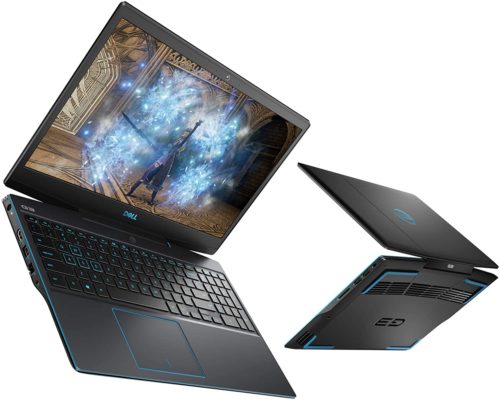
I will end this list with a product from Dell. Its price is $1,449.00, and yes, it is the last one, but you will see why it must be recognized as one of the Best Gaming Laptop Under 1500. Starting with a 10th Gen Intel Core i7-10750H processor, 16 GB DDR4 RAM, and 512 GB SSD, its inner strength and responsiveness are clear. With a 15.6 Inch FHD Display and Nvidia Geforce GTX 1650 Ti 4 GB GDDR6 fast-moving visuals, outstanding gameplay, and with its ports selections you can connect many screens for an expanded experience.
What is a gaming laptop without a backlit keyboard? And this model comes with fully programmable keys and dynamic Game Shift technology. Its dual-fan cooling system keeps the heat away, and its Nahimic Sound Center with dual speakers for average but smooth sound.
Features:
Gaming laptop, 15.6 inch FHD Laptop, 10th Gen. Intel Core i7-10750H, 16 GB DDR4 RAM, 512 GB SSD, NVIDIA GeForce RTX 2060 6 GB GDDR6, Windows 10 Home, Eclipse Black, 3 hours.
Specifications:
15.6 Inch FHD(1920×1080) 300nits WVA Anti-Glare LED Backlit Display(Non-Touch), 144Hz Refresh Rate. NVIDIA® GeForce® GTX 1660 Ti 6 GB GDDR6. 10th Generation Intel Core I7-10750H (12MB Cache, Up to 5.0 GHz, 6 Cores), 2×8 GB DDR4 RAM, 2933 MHz. 512 GB M.2 PCIe NVMe Solid State Drive. 1 USB 3.2 Gen 1, 2 USB 2.0, HDMI 2.0, 1 Headset Jack, 1 USB-C DisplayPort, 1 RJ45 Ethernet and SD card slot. US 4-Zone RGB Backlit Keyboard. 2 speakers with Nahimic 3D Audio for Gamers. Integrated HD (720p) Webcam with Dual Array Digital Microphone. Killer Wi-Fi 6 AX1650 (2×2) Wireless and Bluetooth 5.1. The laptop weight is 7.58 pounds and its total structure measures 20.6 x 14.1 x 3.2 inches. Its 4-Cell, 685WHr battery delivers up to 3 hours of wireless usage.
Conclusion:
That’s all! There you have the Best Gaming Laptops Under 1500. So, I hope one of these 8 devices fulfills your needs, and may this give you hours and hours of endless fun, even with AAA games!