

Acer has specialized for years in making powerful notebooks with good performance and good prices. Remarkable gears, long-lasting batteries, and displays that meet user expectations are some of the things this manufacturer strives for.
Among its wide repertoire, improved year after year, we find several great laptops. So if you want to know which are the Best Acer Laptops you can buy right now, keep reading.
Why choose Acer?
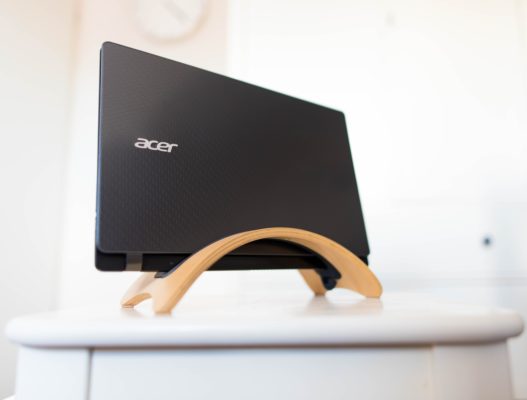
Acer is a Taiwan company that specializes in manufacturing easy-to-move computers with durable, chargeable batteries and compact, lightweight, and eye-catching designs. Each laptop has its particular features and is intended for a specific audience or activity. The company offers reliable quality hardware with performance at affordable prices, so today it is one of the favorite brands for those looking for durability and power without going bankrupt.
What are my options?
Acer has different laptops series, and they are the following:
- Aspire: Sober design laptops of variable technical specifications
- Swift: Ultra-slim notebooks with elegant designs that you can take with you wherever you want.
- Spin: Includes convertible laptops that rotate up to 360° and have remarkable performance capabilities.
- Switch: Laptops that can be used as tablets and include smart pens for this purpose.
- Nitro: The line of gaming laptops with superior features to run any powerful game.
So, here is my list of the best Acer laptops available on 2020:
- Acer Nitro 5 Gaming Laptop
- Acer Aspire 5 Slim Laptop
- Acer Swift 3 Thin & Light Laptop, 14” Full HD IPS
- Acer Aspire 1 A115-31-C2Y3
- Acer Predator Helios 300 Gaming Laptop
- Acer Spin 5 Convertible Laptop
- Acer Chromebook Spin 311 Convertible Laptop
- Acer Aspire 5 A515-55-56VK
- Acer Nitro 5 15.6” FHD Gaming Laptop Computer
- Acer Spin 3 Convertible Laptop, 14” Full HD IPS Touch
- Acer Chromebook 514
- Acer Aspire 5 A515-44-R2SA, 15.6” Full HD
It is time for you to know each of the most outstanding characteristics of each of the Acer that I carefully selected for you.
1. Acer Nitro 5 Gaming Laptop
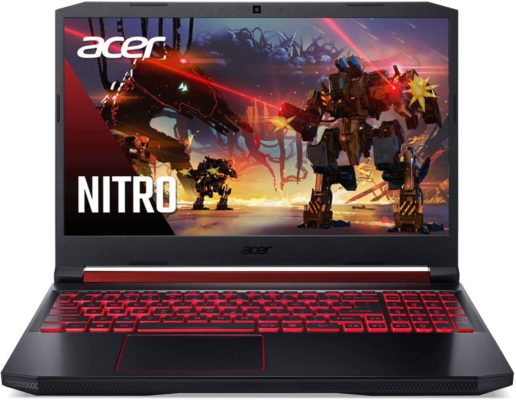
This mid-upper range Acer Gaming Laptop is part of the nitro series and features NVIDIA touring GPU microarchitecture and RTX™ platform that gives you up to 6x the performance of previous-generation graphics cards, sharp visuals with its 15.6” screen and other amazing features that make this $659 laptop the top of my list and a great choice for running demanding graphics games.
Features
Acer Nitro 5 Gaming Laptop comes with 9th generation Intel Core i5-9300H Processor, Turbo Boost Technology with a 4.1 GHz maximum clock frequency. It is powered by an NVIDIA GeForce GTX 1650 graphics card with 4 GB VRAM and 8 GB 2666MHz DDR4 memory –in two slots, up to 32 GB- that make it stand out despite its 256 GB GDDR5 PCIe NVMe SSD, but it includes an additional slot to upgrade it. Its wireless connection is 802.11ax (Wi-Fi 6), it includes Bluetooth, 4 USB ports for different connections and 1 HDMI 2.0 Port with HDCP Support. Its dual speaker surround audio system is quite standard. It has Windows 10 Home installed and includes 720p HD webcam.
Specifications
This Acer Laptop is a powerful 5.51-pounds, sober design gaming notebook with plastic finish on the top and aluminum platform, medium-thin side bezels and a textured finish on both sides, all in black with red details. It measures 14.31” x 10.04” x 0.96” that grips a 15.6-inch Full HD Widescreen IPS LED-backlit display 60 Hz with opening up to 150°. Nitro 5 has a red backlit keyboard and Acer CoolBoost Technology with two fans and dual exhaust ports, plus NitroSense to control air circulation. Its lithium ion battery offers up to 15 hours of battery life at minimum brightness and around 8 hours of constant use.
2. Acer Aspire 5 Slim Laptop

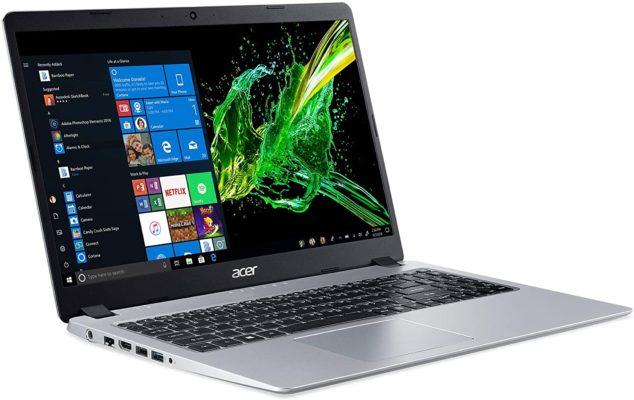
With a soberer design and a lower price – $ 450.00 on Amazon – but with technical features not as flashy as the previous model, Acer Aspire 5 Slim Laptop provides optimal performance by carrying out many actions and running some games. It is a laptop that you can easily take anywhere, with ultra-thin and light design, in addition to a backlit keyboard with which you can type easily in the dark.
Features
The laptop works with an AMD Ryzen 3 3200U Dual Core Processor with 3.50 GHz boost frequencies and 4 GB DDR4 Memory, with additional slot to upgrade it up to 8 GB. The Aspire 5 will fit everyday use and basic multimedia activities, with 128 GB PCIe NVMe SSD available for storage which, while quite limited, can be updated with a 2.5” SATA hard drive in its extra slot. The acceleration is provided by a Radeon Vega 3 Graphics controller, adequate enough to run some games. Aspire 5 also offers 802.11ac wireless connection (Wi-Fi 5), variety of USB ports, HDMI port with HDCP support and 720p HD webcam for video chats or recording in the Windows 10 in S mode operating system.
Specifications
This affordable laptop features a 15.6 inches full HD (1920 x 1080) widescreen LED backlit IPS display with 178° viewing angles. Its measures are 14.31”x 9.74” x 0.71” and weighs 3.97 pounds, making it ultralight and easy to move. Its silver plastic finish, aluminum top cover and black backlit keyboard give it a stylish minimalist look. The battery provides 4 hours of continuous use and up to 7.5 hours of battery life under limited conditions.
3. Acer Swift 3 Thin & Light Laptop, 14” Full HD IPS
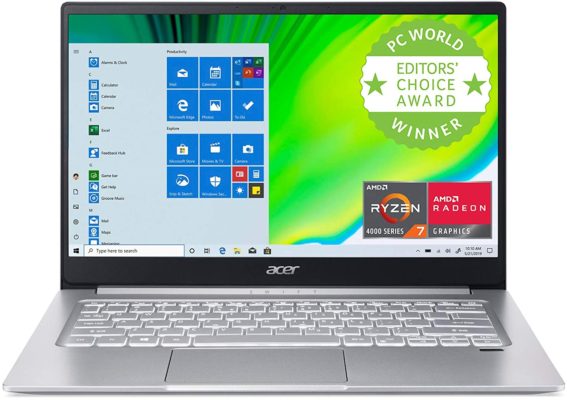
Most laptops have the features their manufacturer considered enough for current demands, but always with the possibility of improving their capabilities by integrating another RAM card or an extra hard drive, because everyone has specific needs. Acer Swift 3 is an exception. An ultra-light, slim laptop with its fully welded internals, offering a secure and sufficient performance for $749 on Amazon.
Features
The power is provided by its AMD Ryzen 7 4700U Octa-Core Mobile Processor with a clock speed up to 4.1 GHz and its integrated AMD Radeon Vega 7 graphics, in addition to 8 GB LPDDR4 soldered Memory. Swift 3 has a 512 GB PCIe NVMe SSD for fixed storage and Intel wireless Wi-Fi 6 AX200 802.11 for high-speed connections. In its structure we find USB Type-C port, USB 3. 2 Gen 1 port, USB 2. 0 port and HDMI port. This Acer Laptop has a fingerprint reader for security when logging into Windows 10 Home, in addition to an HD webcam (1280 x 720) that complements the package.
Specifications
Its long-lasting integrated battery provides 8 – 11.5 hours of continuous use, something that is great for an Acer Laptop. Another outstanding attribute is its 14-inch FHD IPS screen (1920 x 1080 resolution) for a more vivid experience that integrates perfectly on its sleek magnesium-aluminum metal aesthetic. Its silver body measures 12.73” x 8.62” with just 0.63” thickness that along with its 2.65 pounds’ weight make it an ultra-slim notebook. It has a backlit keyboard and a simple cooling system that if is not powerful keeps it working.
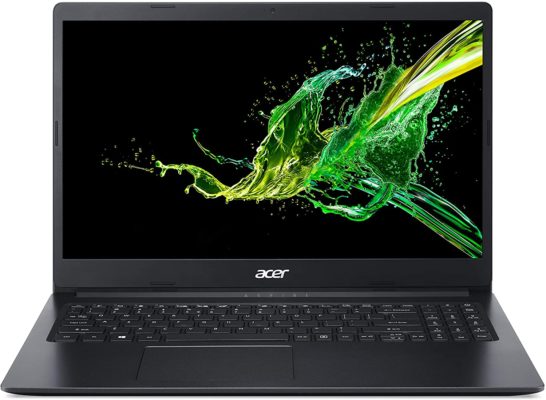
4. Acer Aspire 1 A115-31-C2Y3

Affordable, cheap, cost-effective… The Acer Aspire 1 is a budget laptop that doesn’t have much power, but fulfills the basic needs for everyday tasks, great for study or work, and for less than $250. Many of its features cannot be improved, but let’s face it, the first three words could hardly describe a notebook capable of working with lightning-fast graphics, so its performance is reasonable for its price.
Features
I know 64 GB of eMMC flash storage is not gorgeous, especially if it is not upgrade-able, but the Intel Celeron N4020 Dual-Core Processor 1.1 GHz with Intel Burst Technology up to 2.8GHz (4 MB cache), Intel UHD Graphics 600 and 4 GB DDR4 onboard memory help improve the picture. Aspire 1 comes with 3 USB ports (1 USB 3.1 Gen and 2 USB 2.0) plus 1 HDMI Port with HDCP support, 802.11ac Wi-Fi (Dual-Band 2.4GHz and 5GHz) for fast connectivity, Bluetooth and a 640 x 480 resolution Webcam. The pre-installed operating system is Windows 10 S 64-bit Edition and it includes a 1-year subscription Microsoft 365 Personal.
Specifications
Aspire 1 A115-31-C2Y3 has a standard portable design, with a charcoal black chassis made of ABS polycarbonate. Measuring 14.31”x 9.86” x 0.78”and weighing 4.19 pounds it is an easy-to-handle laptop, with a 15.6-inch Full HD (1920 x 1080) widescreen LED-backlit TN Display with amazing visuals for video playback, recreational or work activities and more. Its lithium-ion battery keeps its charge for up to 6 hours and a half, despite the rest of it being generic, but quite functional.
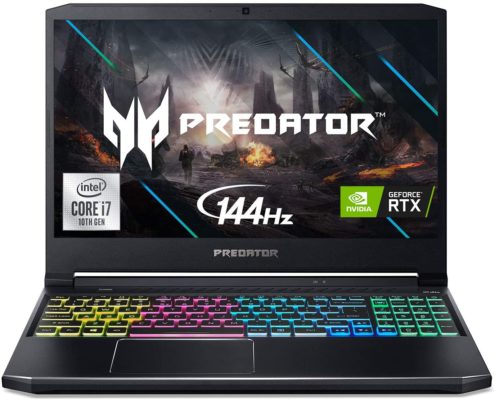
5. Acer Predator Helios 300 Gaming Laptop

Acer Predator Helios 300 is a full-fledged gaming laptop. Its 15.6-inch Acer Laptop costs around $1,000 at Amazon and is manufactured in a way that meets the needs of the most demanding gamers, with both its surprising components and its outstanding design. It comes with a good cooling system that keeps its powerful CPU and GPU temperatures at bay while running the most graphic-demanding games.
Features
Its power comes from its 10th Generation Intel Core i7-10750H 6-Core Processor (Up to 5.0 GHz), 16 GB DDR4 2933MHz Dual-Channel RAM memory and overclockable NVIDIA GeForce RTX 2060 with 6 GB of dedicated GDDR6 VRAM. Its only limited internal component is a 512 GB NVMe SSD, but this Acer Predator Laptop includes 1 open slot and 1 available hard drive bay to easily increase its storage capacity. It can come with Windows 10 Home 64 Bit or without an operating system. Its HD Webcam (1280 x 720) supports Super High Dynamic Range. For better connectivity Predator Helios 300 has Wi-Fi 6, Bluetooth and USB Type-C ports, USB 3.2 Gen 1 and 2 ports in addition to HDMI 2.0 port with HDCP Support.
Specifications
It has an aggressive and futuristic design, in an aluminum structure with a gray finish combined with blue details, such as the air sinks, the edge of the trackpad and some stripes. At the visual level we have a 15.6-inch Full HD (1920 x 1080) widescreen LED-backlit IPS display, which is a matte screen with a refresh rate of 144 Hz and 16:9 aspect ratio. This Acer Gaming Laptop that measures 14.31” x 10.04” x 0.90” and weighs 5.51 pounds comes with a lithium ion battery that reaches up to 3 hours of battery life. Its trackpad is placed just below the space bar, which I find perfect for any game, and its configurable 4-Zone RGB backlit keyboard is the final complement for hours of endless fun.
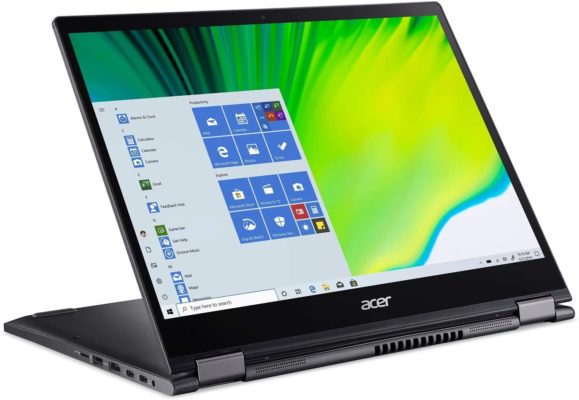
6. Acer Spin 5 Convertible Laptop
Interactive screen, powerful processor, solid and light structure in an ultra-portable and compact body, as well as varied connectivity options for external devices… Acer Spin 5 Convertible Laptop can become the perfect ally for your recreational, educational and work activities, easily switching from a movie player to a tablet, including its own rechargeable pen. It can be purchased on Amazon for $975.99.
Features
With 512 GB PCIe NVMe SSD and solid performance sponsored by 16 GB LPDDR4X Memory and integrated Intel Iris Plus Graphics, this powerful and lightweight laptop is designed to handle any activity. Equipped with a 10th Generation Intel Core i7-1065G7 Processor (Up to 3. 9GHz) and Intel Wireless Wi-Fi 6 AX201 802.11ax, it guarantees a superior level of performance and connectivity. Its compatibility with external devices is provided with 2 – USB 3. 1 Type C port supporting USB 3. 1 Gen 2 (up to 10 Gbps), DisplayPort over USB-C, Thunderbolt 3, USB charging, DC-in, 2 – USB 3. 2 Gen 1 port and HDMI 2.0 port and its HD Webcam (1280 x 720) supporting Super High Dynamic Range is ideal for image capture and video calls. It includes Windows 10 Home.
Specifications
The Spin 5 Convertible measures 11.81”x 9.25” x 0.59”and its weight is just 2.65 pounds, which together with its 360° torsion capacity make it a slim, light and versatile device. Its 13.5-inch Acer VertiView 2K (2256 x 1504) widescreen IPS LED-backlit touch display with 3: 2 aspect ratio adds 18% more vertical space compared to a screen of the same width, and features Corning Gorilla Glass protection. Its entire structure is built with magnesium and aluminum alloy and covered by an elegant obsidian black finish. Its backlit keyboard, fingerprint reader and its Rechargeable Active Stylus Pen stand out with which it can be used as a tablet. According to the reviews, its battery can last up to 8 hours of constant use.
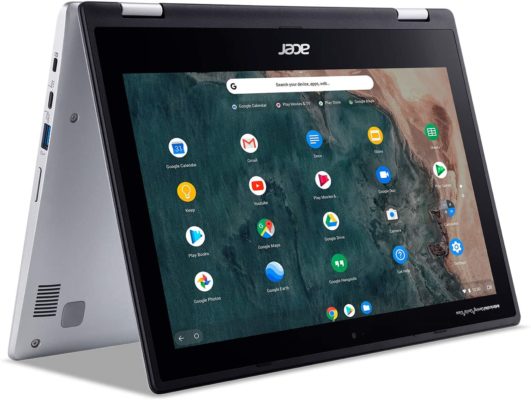
7. Acer Chromebook Spin 311 Convertible Laptop

This little Chromebook can be used with one hand as a tablet or a laptop, thanks to its touch screen. For $316 you can buy this powerful device on Amazon, it is smaller than a A4 paper sheet but proves that size doesn’t matter… except when it comes to hard drive storage.
Features
Acer Chromebook Spin 13 is a rotating screen laptop with an Intel Celeron N4020 Dual-Core Processor 1.1GHz with Intel Burst Technology up to 2.8GHz. Its components include Intel UHD Graphics 600, 4 GB on-board LPDDR4 memory and 32 GB eMMC, a rather modest storage but that is good for its price. It comes with Wi-Fi 802.11ac (Dual-Band 2.4GHz and 5GHz), 720p Webcam with 88° wide angle lens, micro SD slot reader, USB Type-C ports, USB 3.1 Gen ports and other basic connections. It has Google Chrome Operating System.
Specifications
This convertible Acer Touch Screen Laptop measures 11.65”x 8.11” x 0.79” and comes with an 11.6-inch HD high-brightness, LED-backlit IPS technology with Antimicrobial Corning Gorilla Glass multi-touch, this screen that can be rotated up to 360° and used as a base has 1366 x 768 resolution and is bright enough to work outdoors without any problem. Its assembly combines black and pearl gray plastic panels and its keyboard has a nice separation between keys to work comfortably despite its size. It weighs 4.2 pounds and offers about 8 hours of battery life.
8. Acer Aspire 5 A515-55-56VK

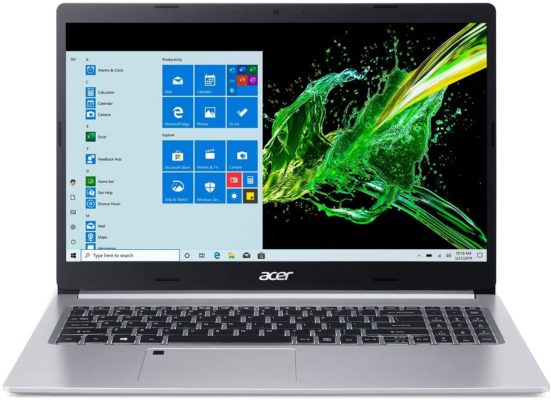
The eighth laptop on my list has a fairly common design in Acer devices, plus it has components that provide considerable performance for a notebook that costs around $600. So, it may not be gaming suitable, but its minimalist aesthetic, battery life and good performance, make it ideal for conventional use.
Features
This laptop combines mid-range components as 10th Generation Intel Core i5-1035G1 processor which up to 3.6GHz and with 6 MB Smart cache, Intel UHD Graphics, 8 GB DDR4 Memory and 256 GB PCIe NVMe SSD – extendable by its extra Hard Drive Bay – with an Intel Wireless Wi-Fi 6 AX201 802.11ax Dual-Band 2.4GHz and 5GHz for connections up to 2.4 Gbps speed. It includes USB 3.1 Gen 1 ports, 1 USB 2.0 port and HDMI port with HDCP support. Among the built-in features it includes Acer Fingerprint Reader, HD webcam and Bluetooth 5.0, all working under Windows 10 Home.
Specifications
The Acer Aspire 5 A515-55-56VK features a 15.6-inch Full HD widescreen LED-backlit IPS Display for vibrant colors experience. It comes with backlit keyboard to work in the dark. Its chassis is made up of a chrome base with a silver plate with a plastic finish that, although it is not made of metal, is resistant and looks good. The dimensions are 14.31”x 9.86” and it is 0.71” thick and weighs 3.97 pounds, a great combination to carry it with you comfortably. Its lithium-ion battery provides up to 8 hours of constant use.
9. Acer Nitro 5 15.6” FHD Gaming Laptop Computer
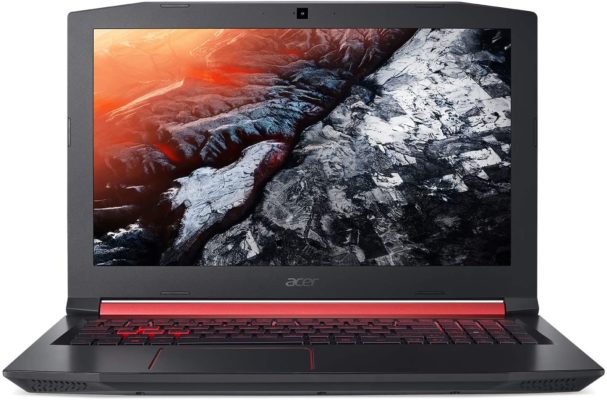
Capable of running hard games and with discreet storage that can be upgraded, Nitro 5 is another Acer Gaming Laptop that does not disappoint and can be used for other tasks that require its high-end features. With a sleek design and a powerful fan system, this arcade machine can be purchased on amazon for $859.00.
Features
The main difference with the architecture of the first laptop on my list is its AMD Ryzen 5 4600H 6-Core, which reaches up to 4.0 GHz. It comes with NVIDIA GeForce GTX 1650 GDDR6 graphics, for higher speed, assisted by 8 GB DDR4 SDRAM. Its 256 GB SSD can be backed with 1TB HDD. USB 3.1 Type C port, USB 3.1 Gen 1 ports, USB 2.0 port, and HDMI 2.0 port are part of its assembly, in addition to its 720p HD Webcam, dual-band 802.11ac Wi-Fi 6 connection and Bluetooth. It has Windows 10 Home 64-bit pre-installed.
Specifications
The black polygonal pattern and red highlights gives it chassis a striking playful look, perfected by a 15.6-inch Full HD IPS Widescreen LED Display with 150° opening angle and 1920 x 1080 resolution which is ideal for play games. Its measurements are 14.31”x 10.04” x 0.96” and its weigh is 5.07 pounds, being light enough, but designed to be placed in your play area. Its backlit keyboard is the ideal complement for a fun environment, you just have to take into account that its battery lasts less than 5 hours of constant use.
10. Acer Spin 3 Convertible Laptop, 14” Full HD IPS Touch
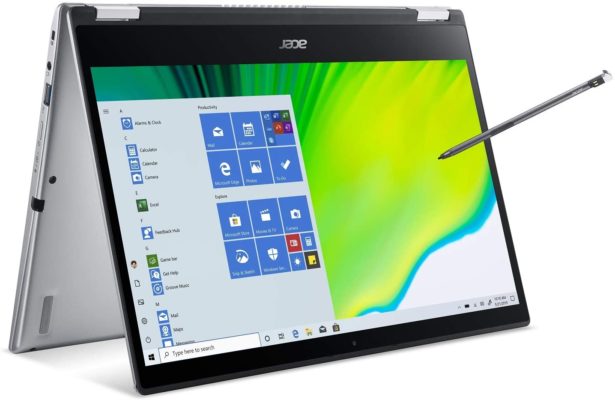
The Acer Spin 3 SP314-54N-5043 is a small, versatile notebook with a double twist hinge that provides up to 360° screen swivel, giving you a new approach to entertainment. It has different connection alternatives among which a multi-functional Thunderbolt 3 connector stands out. This 14” Acer Touch Screen Laptop costs around $770, a good price for its hardware quality.
Features
Its 10th Generation Intel Core i5-1035G4 Processor 1.0 GHz with Turbo Boost Technology ups to 3.7 GHz providing efficiency and productivity with its Intel Iris Plus Graphics and it’s notable 16 GB LPDDR4 onboard memory, well working in Windows 10 Home. Its PCIe NVMe SSD capacity is just 512 GB, but it is upgradeable. Spin 3 Convertible selection of ports is nice, since in addition to 1 USB 3.1 Type C port, 2 USB 3.2 Gen 1 ports and 1 HDMI 2.0 port with HDCP support, it also comes with Thunderbolt 3 and microSD Card reader. The connection is Wi-Fi 6 802.11ax dual-band. It includes 720p HD Webcam (which supports SHDR) and Bluetooth 5.0.
Specifications
This powerful convertible laptop has a 14-inch Full HD (1920 x 1080) widescreen LED-backlit IPS Multi-Touch Display and includes a Rechargeable Active Stylus Pen to use the laptop as a tablet as you prefer. Its overall measurements are 12.8” x 9.06”x 0.67” and it weighs just 3.31 pounds, so taking it with you will not be a big deal. In its silver metallic look-a-like ABS plastic chassis you can see its ergonomic backlit keyboard and its Acer Bio-Protection fingerprint unit, for superior login security. The lithium-ion battery up to 7-hours battery life.
11. Acer Chromebook 514
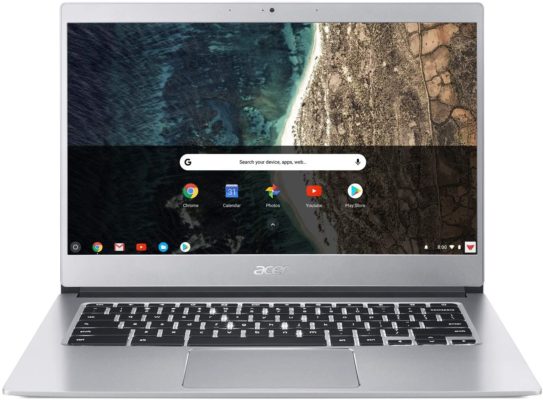
Number eleven is another Acer Chromebook, a powerful budget laptop with formidable battery life. The Google Chrome Operating System offers a lot of advantages, such as constant virus protection and access to your favorite Google apps. Its price is $418 and it comes with some remarkable features and a solid metal assembly.
Features
Chromebook CB514-1HT-C7AZ is powered by Intel Celeron N3450 Quad-Core Processor which up to 2.2GHz and Intel HD Graphics 500. Its storage is just 64 GB from its eMMC and it comes with an additional 100 GB of Google Drive space as it works with Google Chrome OS. It includes 4 GB LPDDR4 Memory which is enough for everyday activities on the notebook. 2 USB Type-C ports USB 3.1 Gen 1, USB Charging, DC-in Port and 2 USB 3.0 Ports are part of the connections it has. It also incorporates an HDR Webcam among its peripherals and 802.11ac Wi-Fi featuring Dual-Band connection.
Specifications
Its 14-inch Full HD Widescreen IPS LED-backlit 10-Finger Multi-Touch Display offers considerable image quality. Its silver aluminum chassis measures 12.72” x 9.13”, weighs 3.09 pounds and has a thickness of 0.67” with a backlit keyboard that allows it to be used at any time of the day and Corning Gorilla touchpad for a better feeling. Its side bezels are quite small and allow a wide opening angle. Its 3-Cell Li-Polymer Battery up to 12-hour battery life.
12. Acer Aspire 5 A515-44-R2SA, 15.6” Full HD
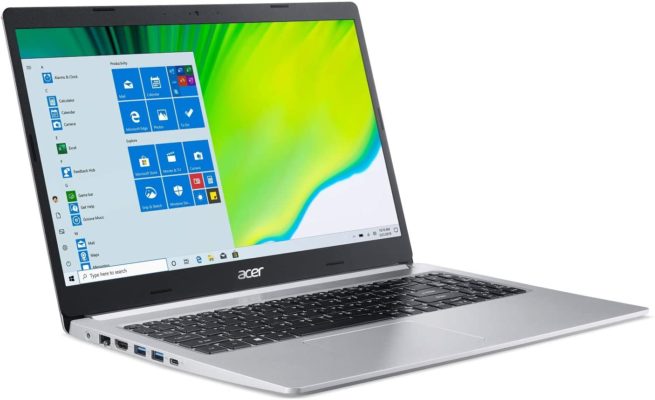
The last laptop on my list does not have a graphics card, but for its price – $ 915.97 at Amazon – it has quite a considerable hardware performance and build quality and. If you’re not looking for a gaming laptop, this Acer Aspire 5 provides a 15.6-inch HD screen, CPU that clocks up to 4.1 GHz, and a minimum of 8 GB RAM for a reasonable price.
Features
We finished with AMD Ryzen 7 4700U Octa-Core Mobile Processor with Radeon Graphics, 8 GB DDR4 Memory with extra slot to add another and 512 GB NVMe SSD with an available 2.5-inch SATA port if you find it insufficient. It is not the most powerful hardware configuration you can get, but it is functional with its 802.11ac Wi-Fi 5 and HD Webcam, as well as different USB 3.2 ports, a USB 2.0 port and HDMI Port with HDCP support. The laptop has Windows 10 Home as the operating system and can run simple games without difficulty.
Specifications
Its battery provides up to 7-hours of battery life if its 15.6″ Full HD Acer ComfyView Widescreen LED-backlit IPS Display is playing videos or movies. The laptop measures 14.31″ x 9.86″x 0.71″ and weighs 4.1 pounds. It’s a silver lightweight aluminum chassis laptop with backlit black keyboard so you can type smoothly.
FAQ
How to choose the best Acer laptop?
Depending on the purpose you want to purchase the laptop, you must take into account its specifications and features. For example, if you are looking for an inexpensive laptop to carry out homework or write documents, Acer Aspire 1 A115-31-C2Y3 is the one that you want, it has an average battery life and its 64 GB storage is enough for this kind of activity. On the other hand, Acer Nitro 5 Gaming Laptop has a 9th generation i5 processor, NVIDIA GeForce GTX 1650 graphics card with 4 GB VRAM and 8 GB DDR4 memory, being capable of running most games, and yes, you probably need to update its 256 GB storage, but you will have one of the best Acer laptops at your fingertips.
Conclusion
Acer offers one of the best value for money on the market. While some laptops stand out above others, their unique designs, hardware, and upgradeable options make every notebook and gaming laptop on my list the ideal possible choice for you, depending on your specific needs and, of course, your budget.